The Neural Network plugin supports two types of neural networks based on picks: fully connected Multi-Layer-Perceptrons (MLPs) and Unsupervised Vector Quantizers (UVQs). MLPs are used in supervised (with a priori, learn by example) mode, while UVQs are used in unsupervised experiments (segmentation = clustering).
Analysis method. The Supervised method allows the choice of one or more output nodes. The groups of nodes (PickSets) indicate how the neural network should separate the character found in the input attributes. Unsupervised separates the nodes in the (single!) pickset based on a clustering in a user defined number of classes. A saved pickset can be used but a random pickset can also be created for this purpose.
Input Training data set. Specify whether the input data set must be extracted on the fly, or retrieved from a stored input set. An input training set consists of a range of attributes (names and values) at given example locations. To create a training set the user must specify which attributes to use and at which locations these attributes must be calculated.
Select input/output attributes. The Select input attributes lists all attributes defined in the current attribute set as well as all data that is stored on disk. Select any or all of these to serve as input to the neural network. The Select output nodes on the right contains all available pickset groups. Select the pickset group containing the locations at which attributes must be extracted to create a training set. Note that for an object probability cube such as TheChimneyCube the user needs two pickset groups: chimneys and non-chimneys.
Percentage used for test set. In the supervised mode, it is recommended to create a subset for testing the neural network's performance during training, specify a Percentage of the pickset to use for the test set. The test set is created by randomly drawing example locations from the selected picksets. Test set examples will not be used to update the neural network weight set during training, they are merely passed through the network to compare the network's classification with the actual classification.
Non-standard number of hidden nodes.If the option is activated, a user can define a non-standard number of the hidden nodes.
Number of Classes. In unsupervised mode, attributes at locations in the specified pickset are clustered (segmented) into the specified Number of classes. During the training phase the UVQ network learns to find the cluster centers. At each iteration, when an vector of values has been assigned to a cluster, the cluster center is moved to minimize the (euclidean) distance with the different vectors of attributes values. In the application phase the input attributes are compared to each cluster center. The input is assigned to the winning segment, which is a number from 1 to N, where N is the number of clusters. In addition, the network calculates how close the input is to the cluster center of the winning cluster. This measure of confidence is called a match, which can range between 1 (perfect match, i.e. input and cluster center are the same) and 0 (input and cluster center are completely different).

Fast pickset creation
The neural network extraction module can quickly create in unsupervised mode the required input set of training locations by pressing the 'Create' button:
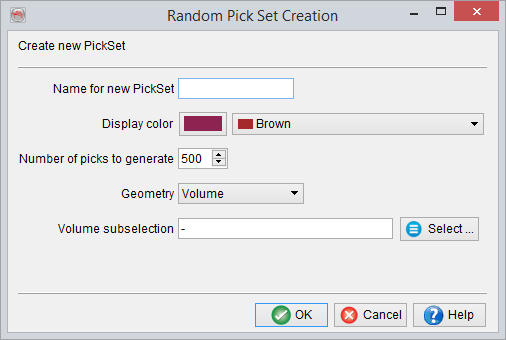
More sophisticated 3D pickset creation tools are available from the tree by right-clicking on the element 'Pickset/Polygon'.
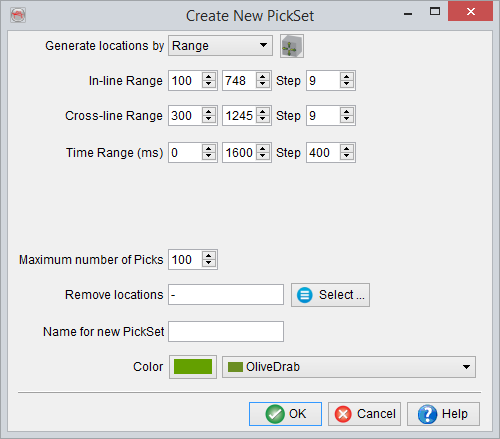
Extraction setting in volume for 3D UVQ
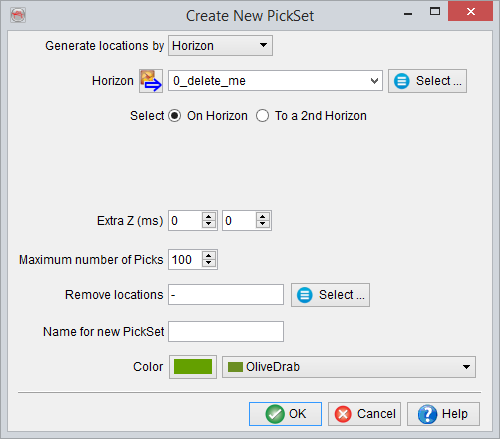
Extraction settings along single horizon for 3D UVQ
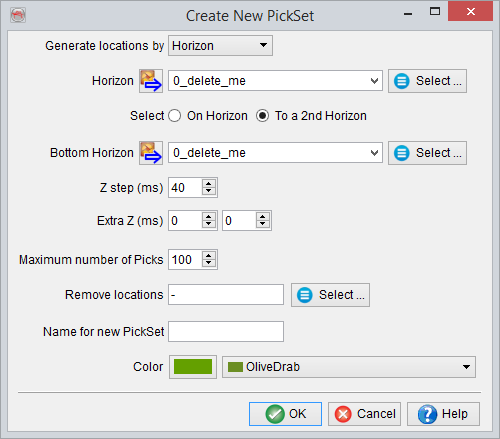
Extraction setting between two horizons for 3D UVQ
© dGB Beheer B.V. 2002 - 2019