Setup NVIDIA GPU Performance Counters
When running jobs with the Machine Learning plugin you might get the following error message: CUPTI_ERROR_INSUFFICIENT_PRIVILEGES
To fix this please follow the instructions from the NVIDIA site. It will be a good idea to do this anyway to prevent of getting the above mentioned error message.
In short the way to set this on Windows is:
- Open the NVIDIA Control Panel
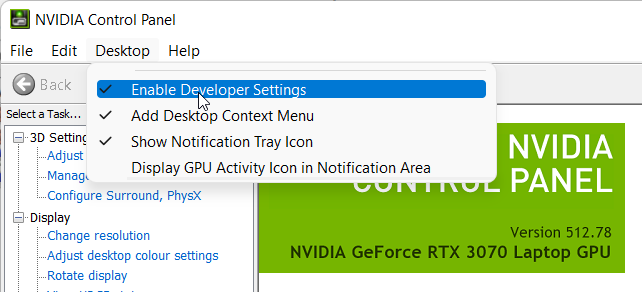
- From the menu select Desktop and ensure that Enable Developer Settings is checked
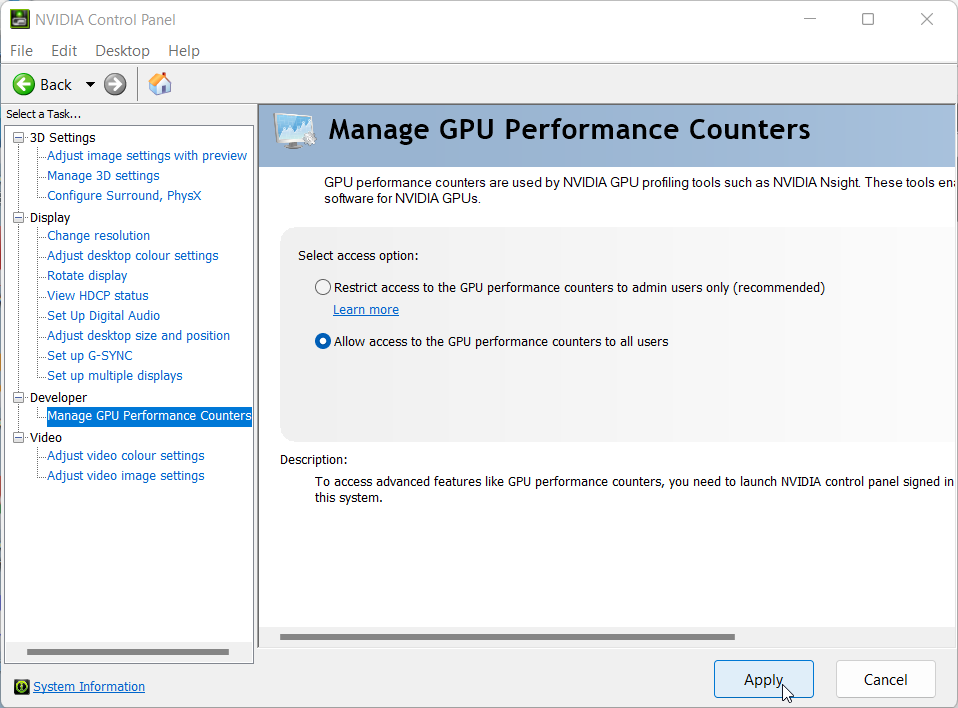
- From the tray select Developer > Manage GPU Perfomance Counters
- Select Allow access to the GPU performance counter to all users to enable unrestricted profiling