1.1.2.8 Import All Data From Petrel* at Survey Creation
This OpendTect Pro feature facilitates the import of an entire project from Petrel* to OpendTect during the survey creation phase.
All data objects are supported (including but not limited to: survey parameters, seismic 2D/3D, pre-stack seismic, horizon 2D/3D, fault, pointset, polygon, wavelet and wells) and can be copied in a single click of a button.
This enables the user to do his or her seismic interpretation work in OpendTect Pro and push these interpretations back into Petrel* for subsequent modeling work.
The initial steps in this workflow are similar to the workflow described in section 1.1.1 Survey Setup From Petrel*.
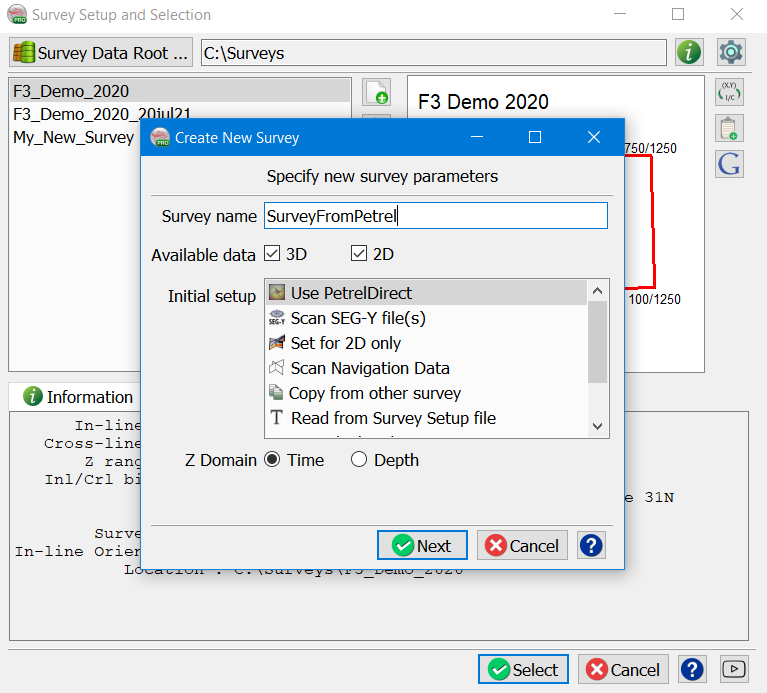
Firstly, specify the creation of a new survey using the PetrelDirect option in the initial setup:
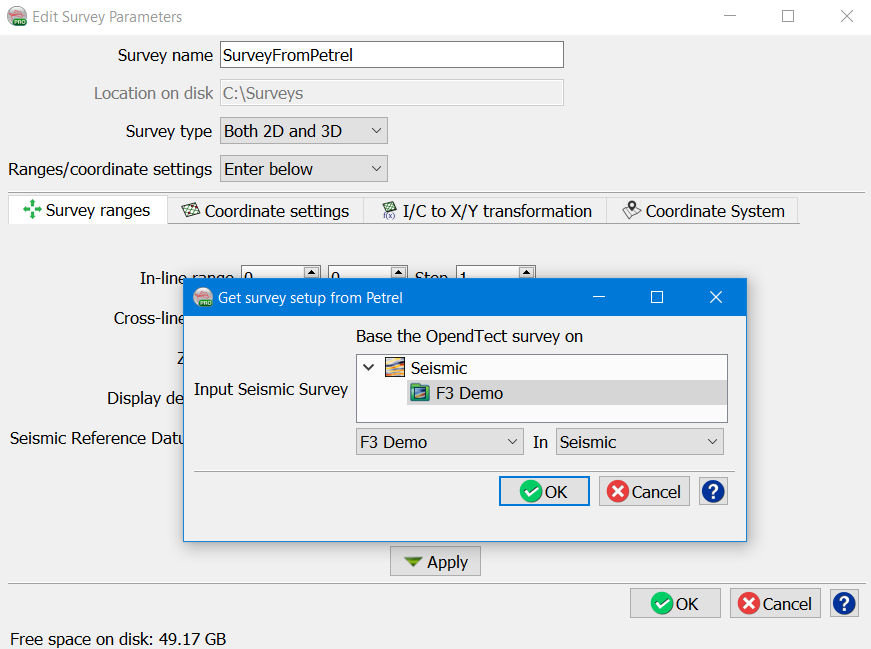
Then select the Petrel* seismic survey to be used for creating the new OpendTect project:
Upon clicking OK in the Edit Survey Parameters dialog box, a message asks if we would like to import data or not:
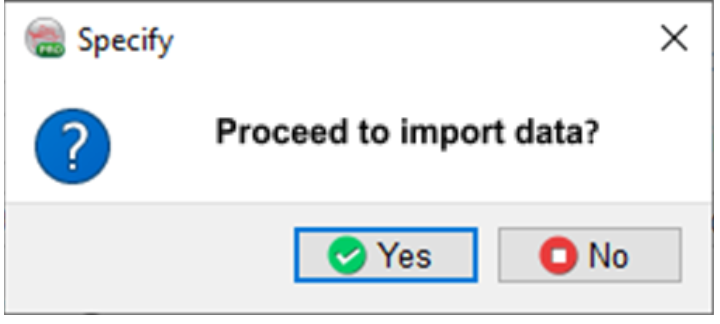
If the user wants to proceed with importing data at this time (pressing Yes), then the Object Selection dialog box is shown.
The dialog box depicts the tree as seen on Petrel* side with identical icons.
The tree can be filtered in two ways, either on the basis of name of the object or on the basis of object type, or in combination:
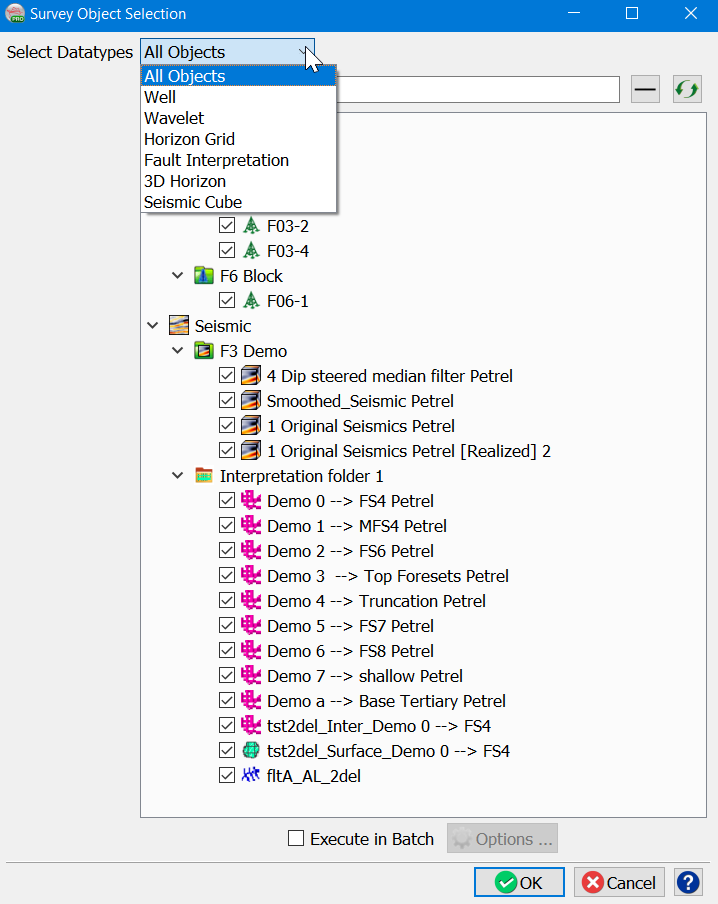
The Datatypes list is populated with the data types available in the selected Petrel* project that are supported by OpendTect.
Note: All OpendTect data types are now supported - Seismic 2D/3D, Pre-stack Seismic, Horizon 2D/3D, Faults, FaultStickSets, PointSets, Polygons, Wavelets and Wells
Upon selecting the required objects, they will be imported and saved in the newly-created OpendTect project.
If a large amount of data needs to be transferred to OpendTect, it is recommended to use the Batch option to speed up the processing.
*is a mark of Schlumberger.