1.1.2.7 Import Pointsets and Polygons From Petrel*
Petrel pointsets and polygons can be accessed in OpendTect by clicking on PetrelDirect insert icon  in the following places:
-
Manage Pointset/Polygons Windows (Survey > Manage > Pointsets/Polygons... or click on the
 icon in the Manage Data toolbar). When adding from PointSet/Polygon manager, user will have a selection box to choose which kind of object they want to import from Petrel*
-
Load Pointsets (Polygons) window when adding pointsets (polygons) to the 3D scene or Basemap by right clicking on Pointsets (Polygons) in the tree > Add). The relevant dialog box pops up.
Import Pointsets (Polygons) window allows to select Pointsets (Polygons) from Petrel* project and create either Link to Petrel* or OpendTect Copy.
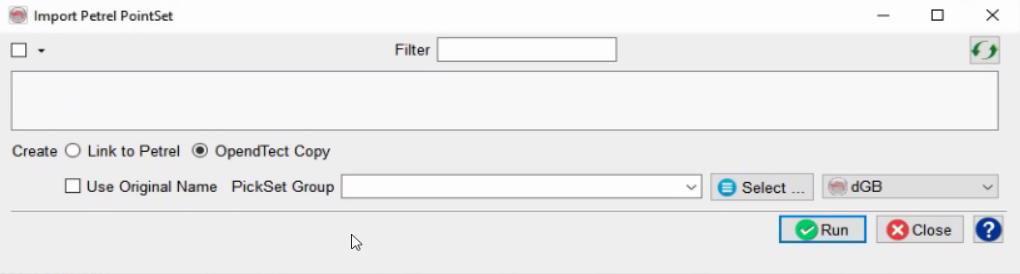
Selection of well pointsets (polygons)
By default all pointsets (polygons) are selected.
To change the default within the current import session: highlight one polygon (pointset) in the tree and click Select buttons.
Use Ctrl+A and Ctrl+Shift+A shortkeys to select/de-select all items in the list.
*is a mark of Schlumberger.