6.5.1 Flatten
3D Survey
To flatten a 3D survey using a reference horizon, this window is used. It can be launched from the SSIS menu. The input Reference Horizon is selected from the active survey, which would be used as a datum for the flattened survey. This datum is a Reference Z(ms) value. The corresponding seismic volume is selected in the Input Cube field. This volume would be used to prepare SteeringCube (for HorizonCube) in a flattened survey. Optionally, volume sub-selection can also be made to do work in a sub-volume.
The Target Horizon(s) are selected as these horizons are used as input in the HorizonCube, for building the framework. In the list one or more horizons can be transformed in the selected output i.e. a flattened survey (give a name in the Select Survey field).
Mode: Flattening / un-flattening mode. If flattening is set here, the selected data from the active survey will be flattened in a new (flattened) survey. The un-flattening mode is used to un-flattened a flattened (active) survey.
After providing the right selection(s), the user may proceed further by clicking on the Proceed button. This will start a batch program. Optionally, the user may run the batch program on a remote host by checking the Show Option(s) box before pressing the Proceed button.
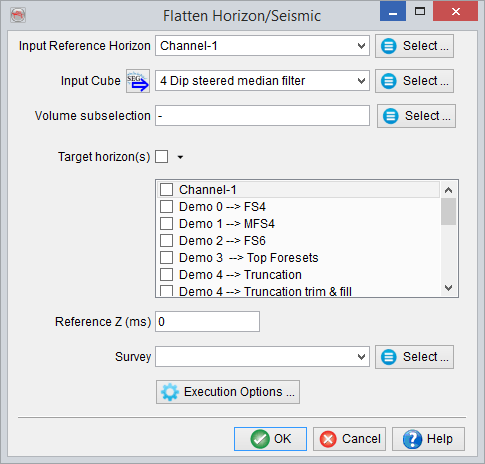
Flattening a 3D seismic data and the horizons to prepare a HorizonCube in a flattened survey.
2D Survey
The same workflow can be applied for a 2D survey. If the window is launched in an active 2D survey, the 2D lines and the corresponding 2D horizons can be flattened using a reference horizon. The reference horizon defines a flattening datum with a given Reference Z value. This is selected from the Input Reference Horizon field. The 2D lines available in a Lineset are selected for the Lineset/Line Name option by pressing the select button.
Together with the seismic data, the corresponding 2D horizons from the active survey may also require flattening. These horizons are selected from the Target Horizon(s) field. Finally, select the flattening mode, and give an appropriate output survey name and press the Proceed button.
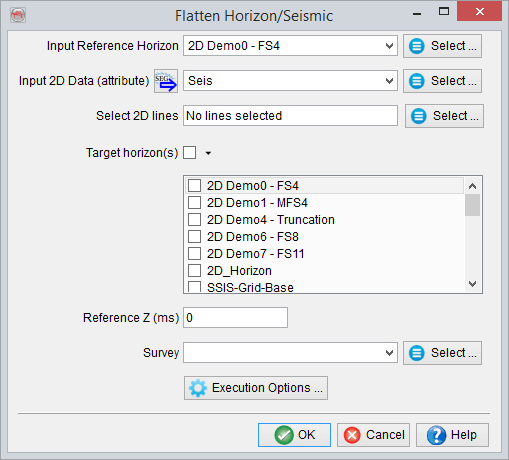
Flattening 2D seismic data and the horizons for preparing a HorizonCube in a flattened survey.