3.6.4 Polygon
A polygon is a close line connecting locations.
A new Polygon can be created by clicking on pointset/Polygon and in the drop-down menu select New Polygon... The following window pops up.
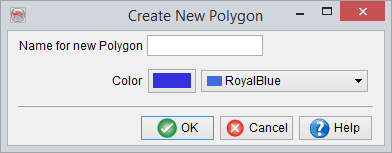
The polygon creation is finalized by giving it an appropriate name, selecting a color to be used for its display and clicking Ok.
The name can always be changed later from the pointset/Polygon manager. The color can also be modified later on from the right-click menu on the polygon name > Display > Properties.
To start interpreting a polygon, it needs to be activated by clicking on the element in the tree. Polygon are picked only on z-slice and horizons. Display a plane in the 3D scene, activate the polgon and start picking. The points will be connected by a line.
Double-clicking will close the polygon. Save the polygon by right-click on its name in the tree > Save. When the polygon is active in the tree, each click will results in a new point. To remove a point, press Ctrl and click on the point to delete. Move a point by clicking on it and dragging it.
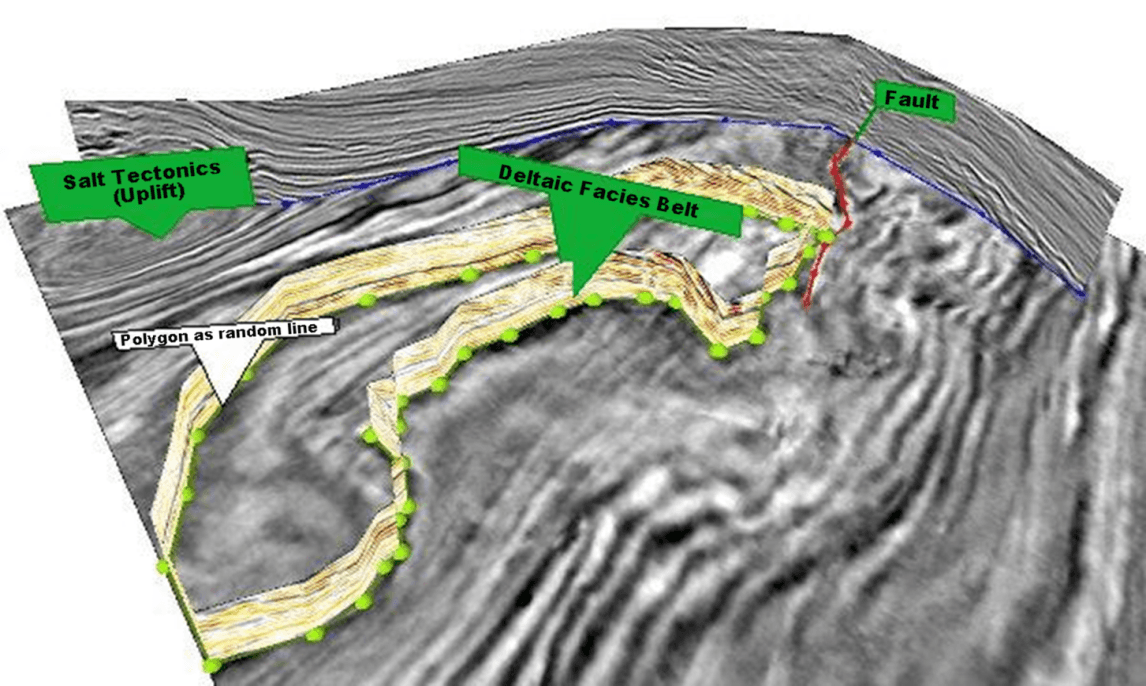
In the following picture we can see two examples of polygon pointsets, closed polygon (deltaic facies belt), and non closed polygon (fault pointset).