6.4.1 Wheeler Scene
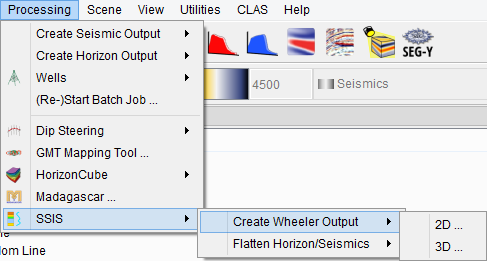
The Wheeler Scene in OpendTect is another scene, which is added from the SSIS menu. It may be noted that the Wheeler Scene is a transformation (flatenning) of HorizonCube into relative gelogical time (RGT). Therefore, before adding a Wheeler Scene, the HorizonCube should be selected.
In the Wheeler scene, flattened seismic data can be displayed by adding elements (inline, crossline, and timeslice) in the tree. By displaying flattened seismic data, one can assess the quality of the selected HorizonCube. Making a good HorizonCube is an iterative process. It will probably take several runs before the result is satisfactory. In order to improve HorizonCube the user can try to:
- map additional horizons (sequence boundary)
- fill holes in mapped horizons
- make horizons continuous and watertight
- filter the SteeringCube (data-driven approach)
In the Wheeler scene, stored data is transformed on-the-fly to the flattened domain. All attributes and neural network outputs are calculated in the normal domain first and then transformed to the Wheeler domain. Because of this transformation, quickly scanning through your Wheeler is only possible after creating a Wheeler cube. On-the-fly calculations are not supported for the volume viewer, which only accepts input from pre-calculated Wheeler cubes.
Below, the two types of Wheeler transformation are displayed. One with Continuous HorizonCube and the other is the same HorizonCube with a density filter. Note that for Wheeler Transformation, the closely spaced events in a continous HorizonCube needs to be filtered out so that the hiatus, and stratal terminations become prominent and one can interpret base-level changes.
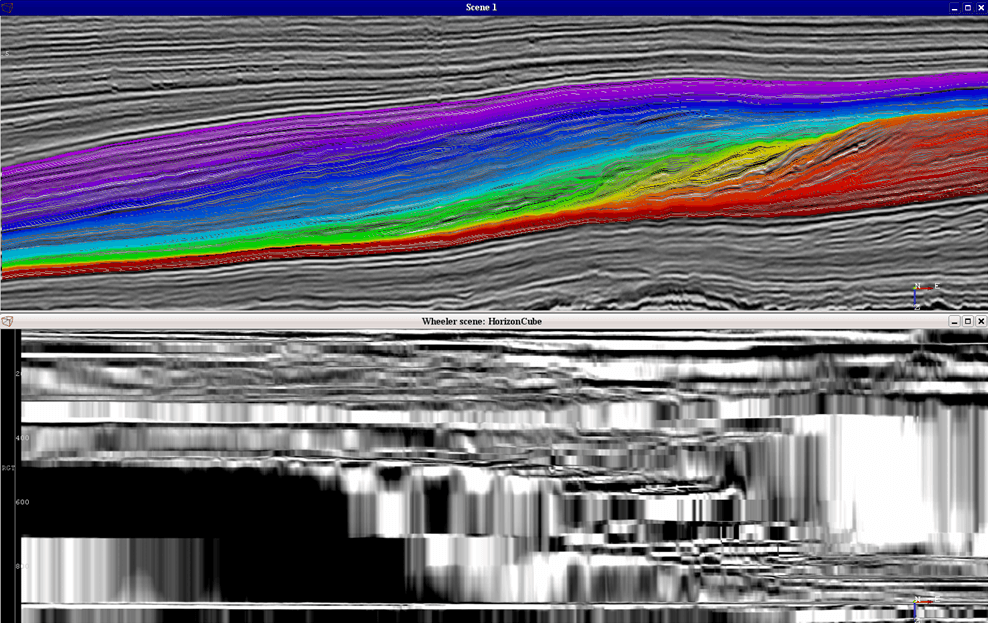
Top scene is a display of a seismic data and the HorizonCube with continuous events. Bottom display is the Wheeler Transformed Scene of the HorizonCube. The same seismic data is displayed in the wheeler domain.
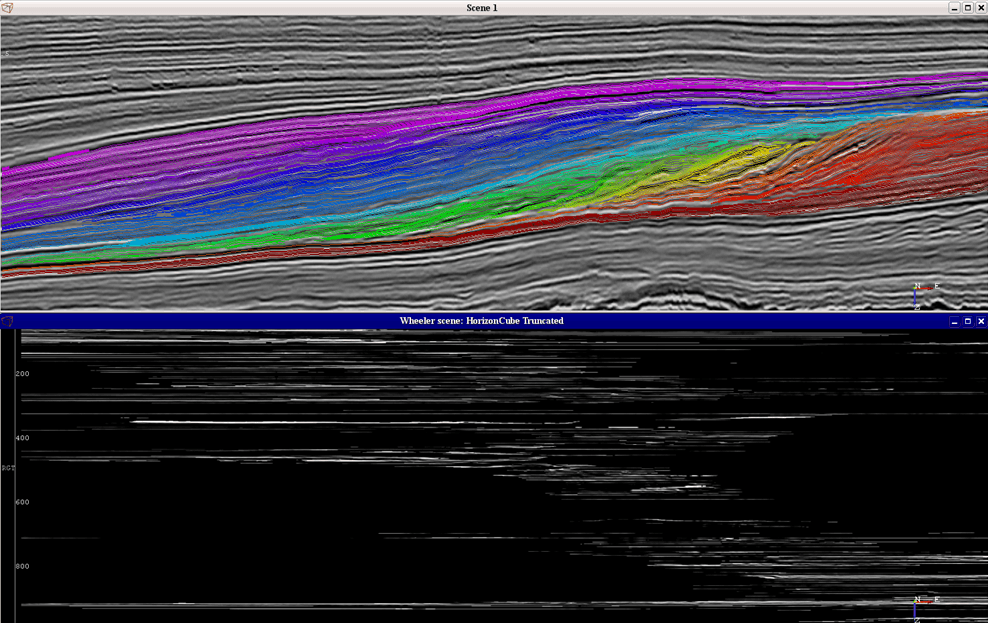
Top scene is a display of a seismic data and the continous HorizonCube with a density filter applied. Bottom display is the Wheeler Transformed Scene of the displayed HorizonCube. The same seismic data is displayed in the wheeler domain.