4.4.3 Export Geometry 2D
2D line geometries can be exported as ASCII files via Survey > Export > Geometry 2D > ASCII...
In the Export 2D Geometry window: choose one or several 2D lines; type an output file name (to save to Survey Data Root folder) or provide a full path by clicking Select; and press Export. The output file contains 4 columns: 2D line name, trace number, X and Y coordinates.
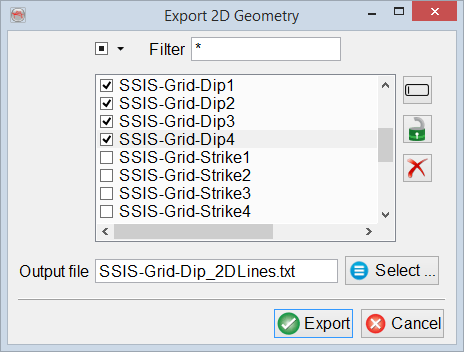
A successful export is confirmed with a message and an option to either export more 2D line geometries or close the export tool.