4.4.8.2.2 Export 2D Simple File Format
A stored data set in the OpendTect survey can also be exported as a simple Ascii or binary file.
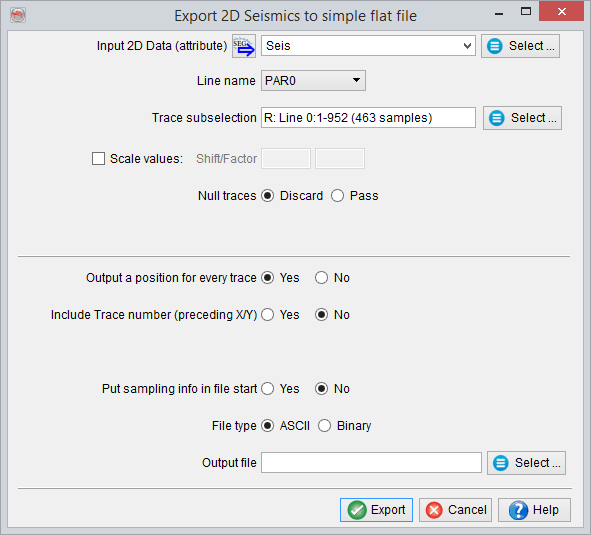
Simple 2D Seismic File Export Window
- Input Data Set: Select the data set to be exported
- Line name: The lines available in the data set are listed here. Only one line can be selected.
- Trace Subselection: A part of the line can also be sub-selected. If the entire line is meant to be exported: after clicking on Select..., define the number and time ranges. Leave the values default or select All in the trace subselection window.
- Scale values: The data can be scaled in the output file. The output will be calculated with: Output = Factor * Input + Shift
- Null traces: Null traces can be discarded or left inside the line (Pass).
- Output a position for every trace: If Yes then the output will contain a short header information. If No, no header will be added
- (If Yes selected in the previous option) Include trace number (preceding X/Y): In the output file, it includes the trace numbers before X and Y locations.
- Put sampling info in file start: Select Yes to allow the sampling information to appear at the beginning of the file.
- File type: Select the appropriate output file type: ASCII or Binary.
- Output file: Select/write the output file location.