4.3.6 Import Horizons
Horizons interpreted on 3D and 2D seismic data and (attribute) grids can be imported in a OpendTect survey via Survey > Import > Horizons. The grids are called "Surface data" in Opendtect and are attached to 3D horizons. Horizon import supports the following:
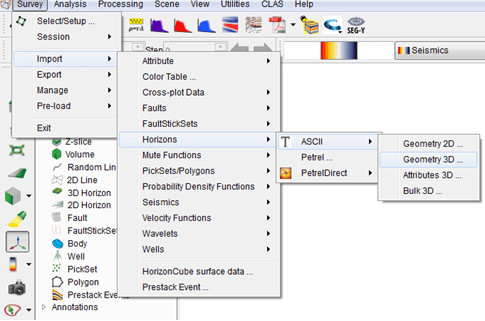
The standard input data is Ascii files. Three options are available (explained in the following subsections):
- Geometry 3D: Import horizons interpreted on a 3D grid (e.g. XYZ)
- Attributes 3D: Import an attribute grid as a surface data, for a given 3D horizon.
- Geometry 2D: Import horizons interpreted along 2D lines.
- Bulk 3D: Import multiple 3D horizons from a single file
Import Horizon from Geoframe/Petrel: Horizons can also be imported into OpendTect from Geoframe 2D/3D (Survey > Import > Horizon > GeoFrame > 2D or 3D). The following dialog will pop up. Select the GeoFrame project and the survey name that contains the horizon to be imported.