4.3.8 Import Navigation Data / 2D Geometry
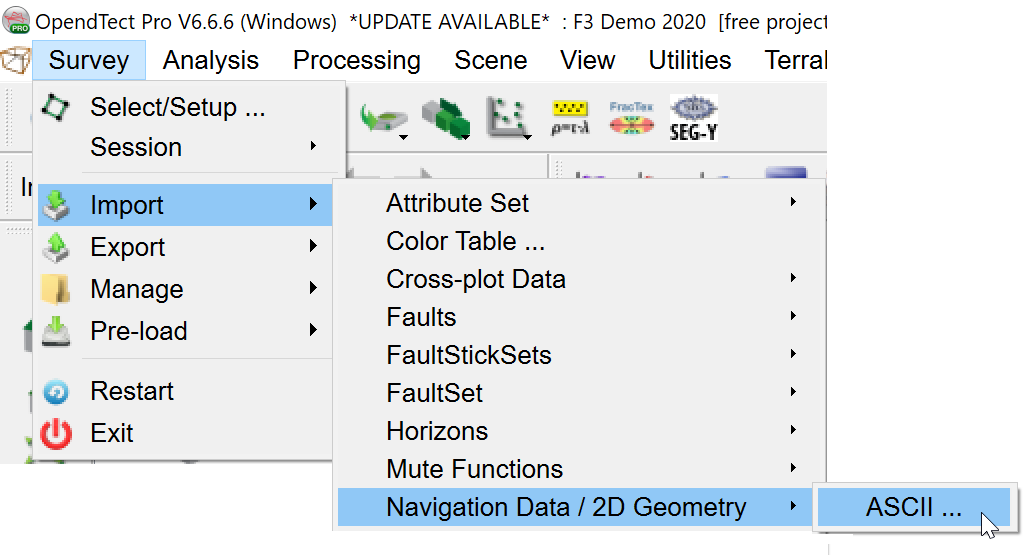
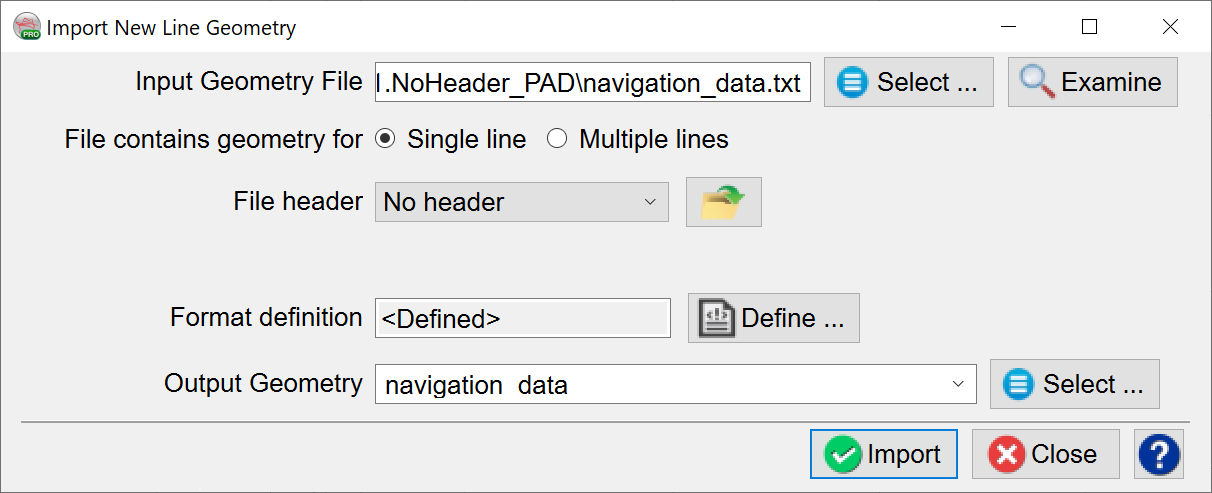
The import ASCII file should contain X, Y, trace number and, optionally, shot point number.
During import, Examine the file and set the number of header lines, if present, and Define the format:
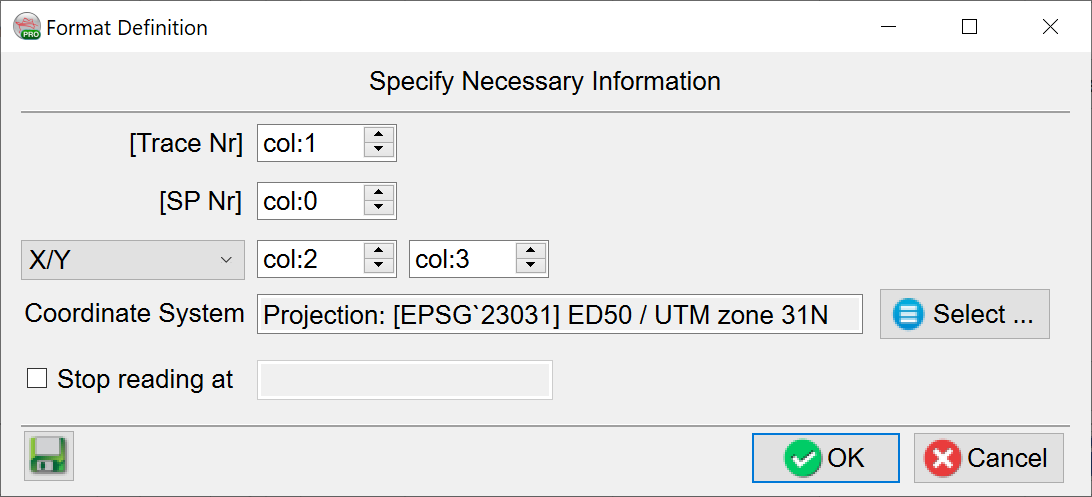
Once completed, click OK to import.
The user can then switch to importing the 2D SEG-Y file.
During this import, the traces are matched to the geometry by trace number, so ensure selection of the correct byte number, click Next.
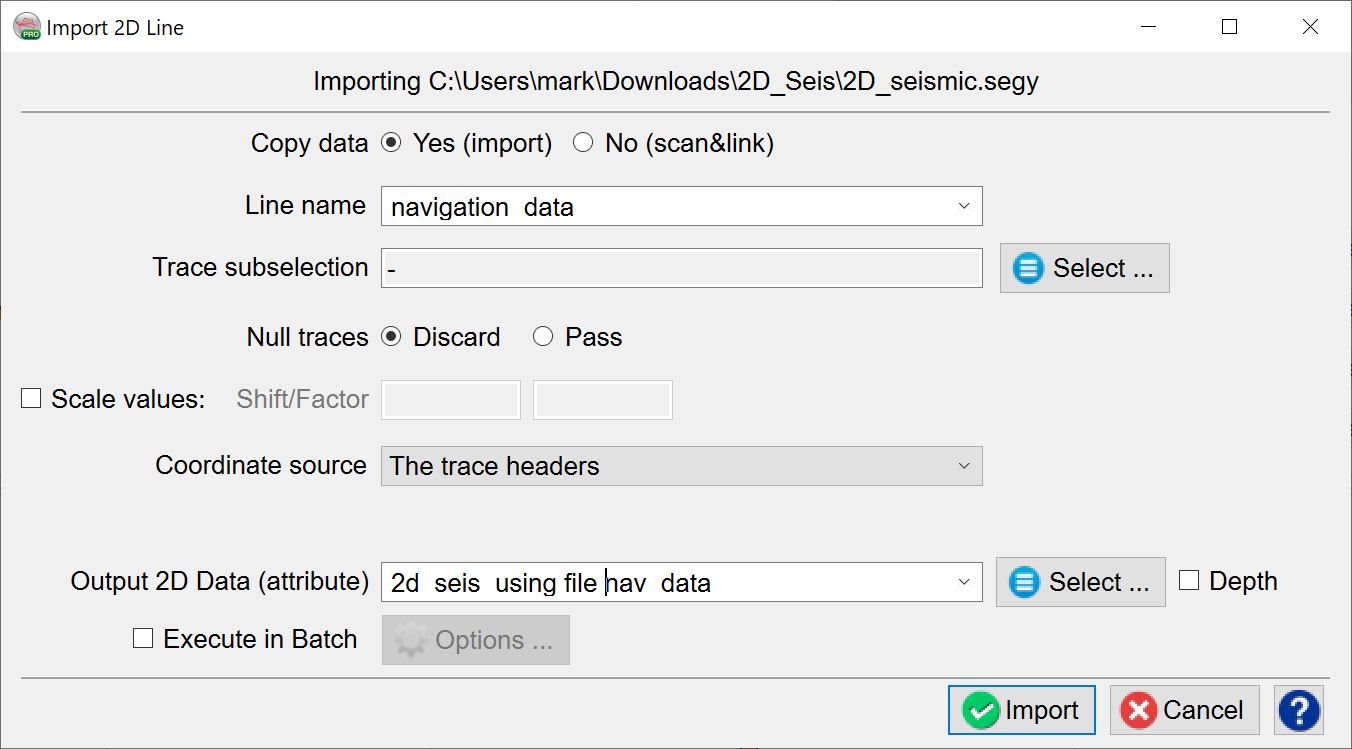
On this next screen, use the drop-down for the Line name field to select the just-imported navigation data and name the 2D Data before clicking Import:
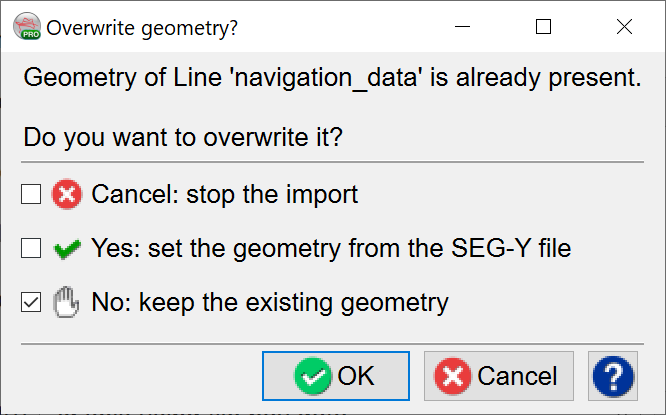
Finally, a choice will be given as to which navigation data to use.
Select No: keep the existing geometry and click OK: