4.3.9 Import Pointsets & Polygons
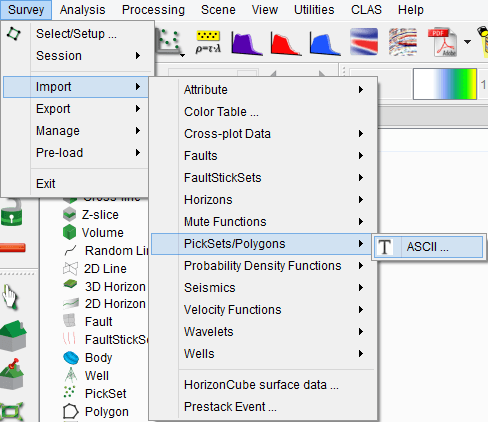
Point/vector data can be loaded in OpendTect from Survey > Import > pointset/Polygon.
Select the input Ascii file. You can display the input file by pressing the Examine button. The input file should be column sorted with one position per record (line).
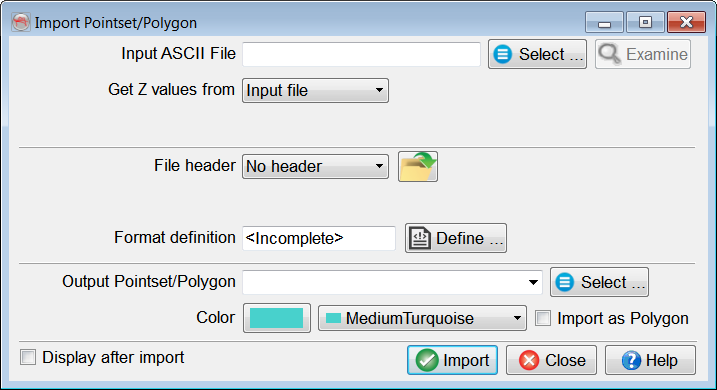
The main work is to specify the presence of a file header and the file format definition. The header, if present, can be of fixed length (number of lines), or delimited on its last line by a keyword.
Predefined and saved file formats are available by pressing the  icon. Otherwise the format must be manually specified. The Define button gives access to the format definition window.
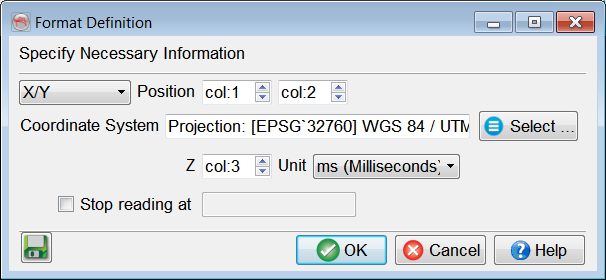
You must specify in the format definition window the column numbers for the position, in terms of an X/Y pair or an inline-crossline pair, and the point column. points that should not be read must all have the same numerical value, which is to be filled in as the "Undefined value". The Z units can be seconds, milliseconds or microseconds. Reading may be stopped at a specific line by providing the adequate keyword.
If Coordinate Reference System (CRS) is defined for the survey, CRS conversion will be available in the import window.
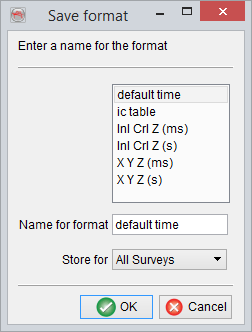
It is recommended to save the format definition for a later use and QC, by clicking on the  icon . In pop-up window, write the name of the format and store it. The format can be stored at different levels (All surveys, Current survey, Current OpendTect user level) depending on the usage.
The option Import as polygon will flag this specific datatype to the loaded data. It also adds as constraint during loading that the points are ordered in the expected way. The import tool will not apply any sorting.
Press OK when done.