4.3.14.1.1 Track
Well track (deviation survey) of a single well can be imported to OpendTect using a column sorted ASCII file or defined as vertical via Survey > Import > Wells > ASCII > Track... In time surveys, time-depth model must be either imported using column sorted ASCII file or temporarily defined as constant velocity at this step.
The well track is the core part of a well, it is required for the visualization of well data in depth and further loading of markers and logs. The well track determines the size of the usable and displayed well data. Any log or marker outside of the track Z range will neither be usable nor be displayed. On the other hand the well track is not limited to the survey Z range and can be loaded outside the survey box.
A time-depth model is another core piece of information which is required for visualization and use of well data in time.
For bulk import of well tracks and time-depth models please refer here and here.
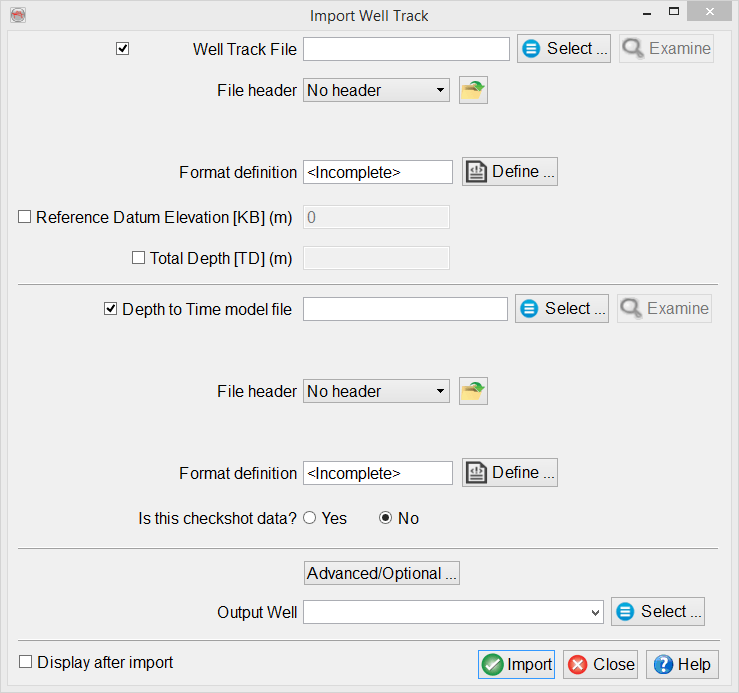
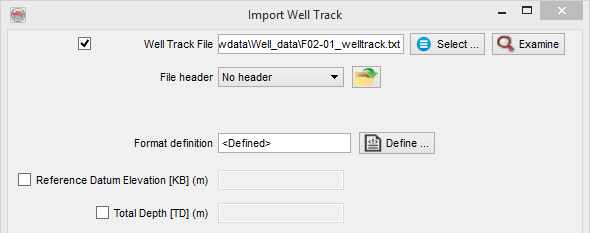
Well Track File
Checked box at the top of Import Well Track window allows to select an ASCII file containing a well track, vertical or deviated.
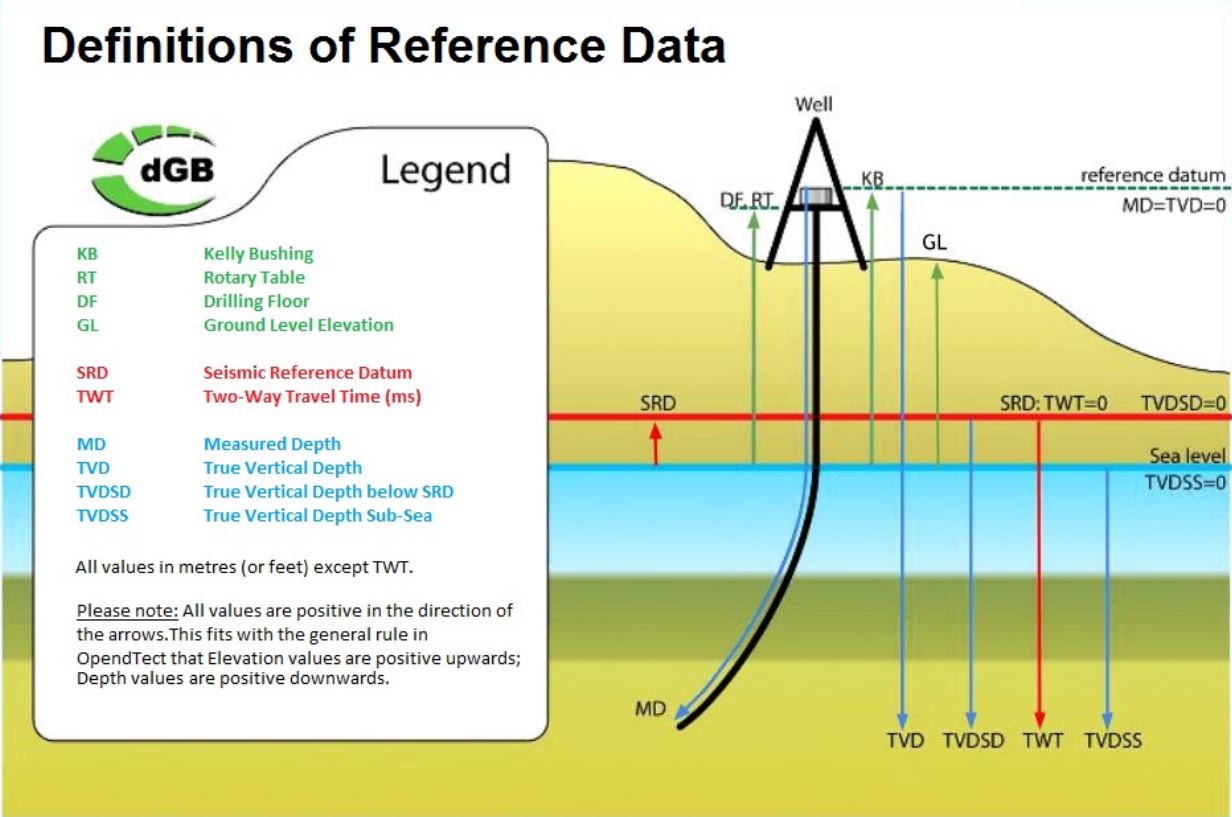
Reference datums used in OpendTect are schematically shown in the figure below (note that Measured Depth [MD] is always referenced from Kelly Bushing [KB]):
For a deviated well, the file must contain 4 columns: position information (X/Y or Inl/Crl), true vertical depth sub sea (TVDSS) and MD.
For a vertical well, the file must contain at least 3 columns: position information(X/Y or Inl/Crl) and at least one depth column, TVDSS or MD (Reference Datum Elevation [KB] value must be specified in this case).
The best way to ensure that the reference datum elevation is properly set is to have the deviation survey file starting at MD = 0 and TVDSS of KB. In the example below: KB elevation of a well is 34.1 m above MSL, i.e. in OpendTect TVDSS at KB is -34.1 m, which corresponds to MD=0.0 m:
| X | Y | Z (TVDSS) | MD |
|---|---|---|---|
| 623255.98 | 6082586.87 | -34.10 | 0.00 |
| 623255.98 | 6082586.87 | 0.00 | 34.10 |
| 623255.98 | 6082586.87 | 65.90 | 100 |
| 623255.84 | 6082591.69 | 440.86 | 475 |
Format definition
Predefined and saved file formats are available by clicking on  icon. Otherwise the format must be manually specified by clicking on Define button and selecting column numbers corresponding to position information (X/Y or Inl/Crl), Z and MD. If Coordinate Reference System (CRS) is defined for the survey, CRS conversion will be available in the import window.
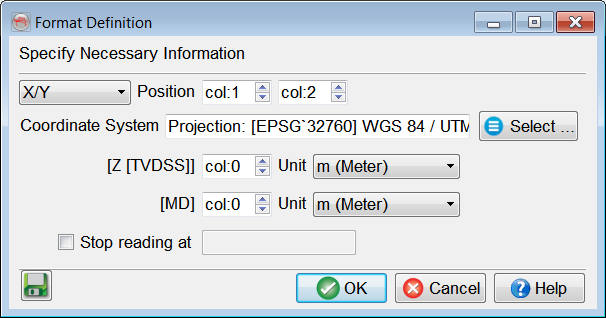
- X and Y are absolute coordinates (not relative to the surface coordinates) and must have same units as the OpendTect survey coordinates.
- Z is TVDSS, increasing downwards and equal to zero at sea level.
- For a vertical well, either Z or MD can be left unspecified (col:0). In this case Reference Datum Elevation [KB] value must be provided in the main Import Well Track window.
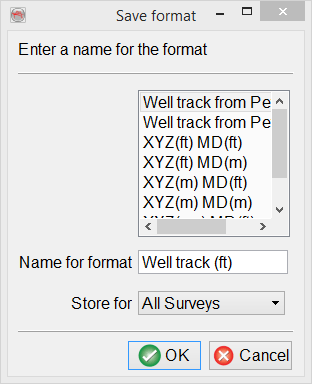
It is recommended to save the format definition for a later use and QC, by clicking on  icon. The format can be stored at different levels (All surveys, This survey only, or My user ID only) depending on the usage.
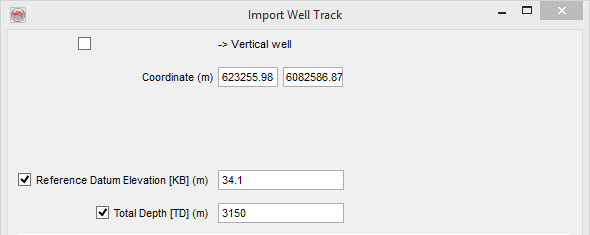
Vertical well
Unchecked box at the top of Import Well Track window allows to create a vertical well by entering its surface coordinates, Reference Datum Elevation [KB] and Total Depth [TD].
Time-Depth Model
If checked Depth to Time model file, a file containing the time-depth relation model can be provided as an ASCII file containing depth as TVDSS, TVD-SRD or MD. If time-depth model is unavailable, the check box at the left of this field can be deselected and temporary model velocity value (m/s) should be provided.
Predefined and saved formats are again available by pressing the icon. Otherwise the format must be manually specified. The Define button gives access to the format definition window.
You must specify in the format definition window the column where depths and times are located, and the type of data to be expected. Three types of depths are supported for loading a check-shot/time-depth curve from a file. The supported depths are: MD, TVDSS, TVD rel SRD. Time values can be either one-way or two-way traveltimes. Times (lines) that should not be read must all have the same numerical value, which is to be filled in as the Undefined value".
Time-depth models are always stored using measured depths and two-way travel times in seconds. Therefore any other input format will cause a conversion of the input data. Data loading can be stopped at a specific line by providing the adequate keyword.
It is mandatory that the time-depth model obeys the following requirement: TWT = 0.0 ms corresponds to TVDSS at SRD. The best way to ensure this is to have such line in the imported file. For example, if SRD is 1000.0 m above MSL, i.e. in OpendTect TVDSS at SRD is -1000.0 m, then the file should contain a line with the following TVDSS (m) - TWT (ms) pair: -1000.0 m - 0.0 ms.
It is highly recommended that the 2nd sample of the time-depth model corresponds to the start depth of your sonic log, unless the input is a measured checkshot survey.
The Time-Depth model used during import can be either a checkshot model or a "normal" time depth curve. More information can be found in the well management chapter.
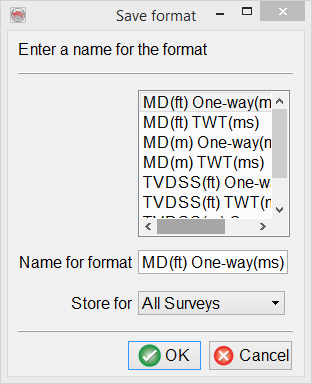
Similarly the depth-time model reading settings can be saved:
Advanced/Optional
The Advanced/Optional button allows the user to provide optional parameters.
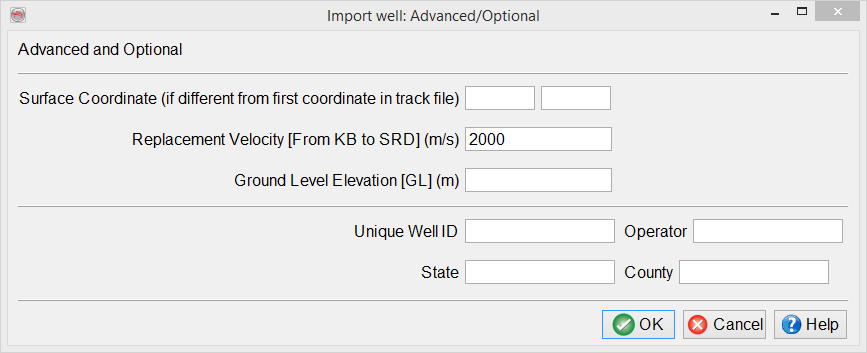
- Surface Coordinate: if provided, the coordinates written in the first line of the track file will be overruled.
- Replacement Velocity: interval velocity from KB to SRD.
- Ground Level Elevation: elevation of GL above MSL.
- Unique Well ID: unique well identifier which can be used during import of well logs and markers.
- Operator, State and County: text details about a well.