9.2.2 Position Conversion
Position Conversion is a utility that can be used to convert the position pairs or coordinate system. The user specifies an X/Y coordinate, or In-line/Cross-line, or Latitude/Longitude pairs, then presses Convert to obtain different position pairs or to convert to a different X/Y coordinate system.
This utility can be launched either from Utility >Tools > Position Conversion, or from Survey selection menu (Survey > Select/Setup >  icon).
In the position conversion window, there are two modes available: Single Position or File.
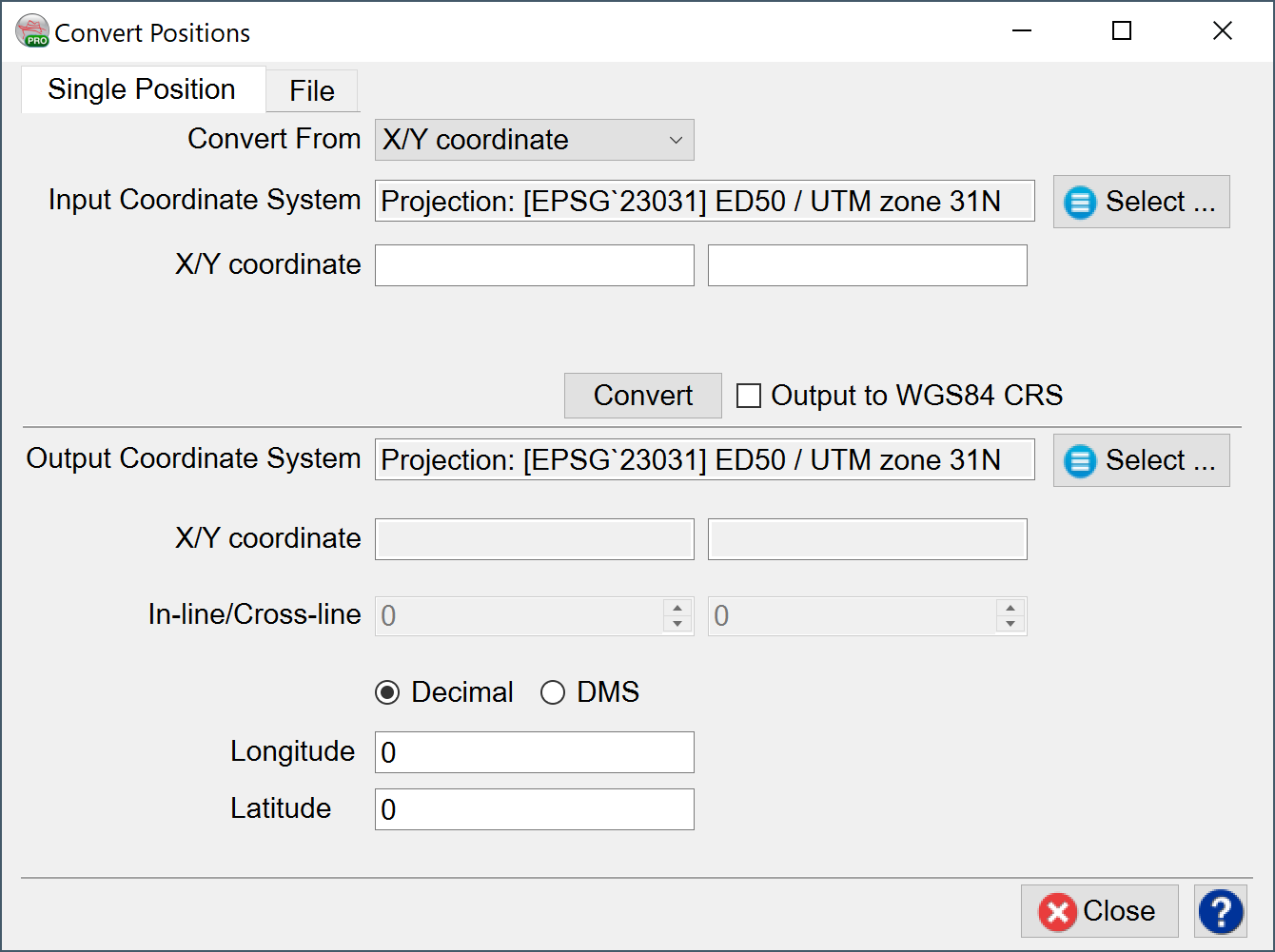
In the Single Position mode, the following conversions are supported:
X/Y coordinates to In-line/Cross-line and vice versa
X/Y coordinate to Latitude/Longitude and vice versa
X/Y coordinate CRS1 to X/Y coordinate CRS2
For Latitude and Longitude, output can either be in Decimal or Decimal-Minute-Second (DMS).
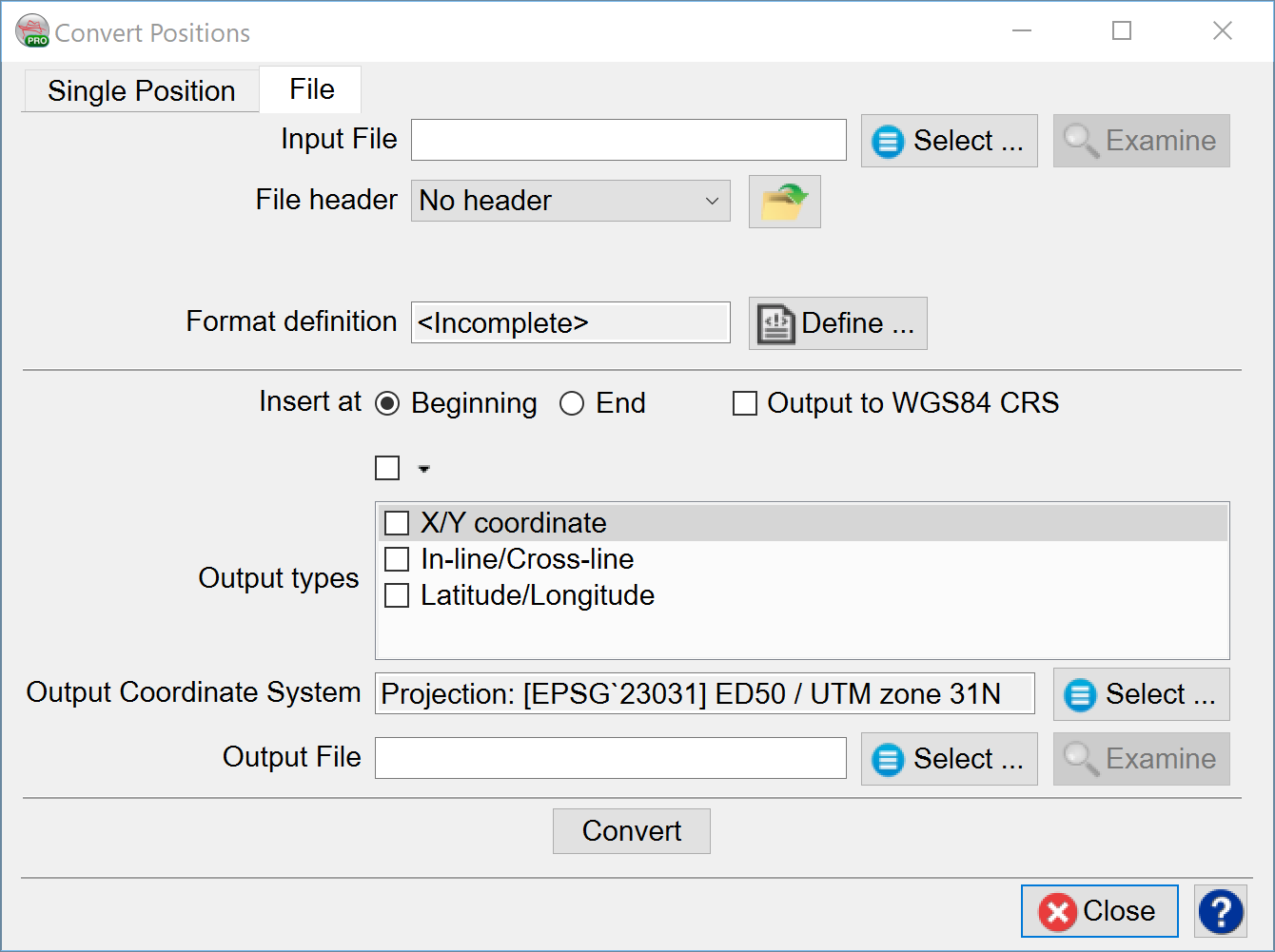
In File mode, the user browses the input file, defines the file’s format and creates a new output file. By specifying the output types (X/Y coordinate, In-line/Cross-line, Latitude/Longitude), the coordinate system to convert to, the output file, and pressing the Convert button. The desired conversion is written to an output file.
Input fields are not allowed to use ‘!’ symbol in their name.
The user should be able to select which columns are e.g.: X/Y. The output should be identical to the input file (header and all data columns) and just add columns for new values.
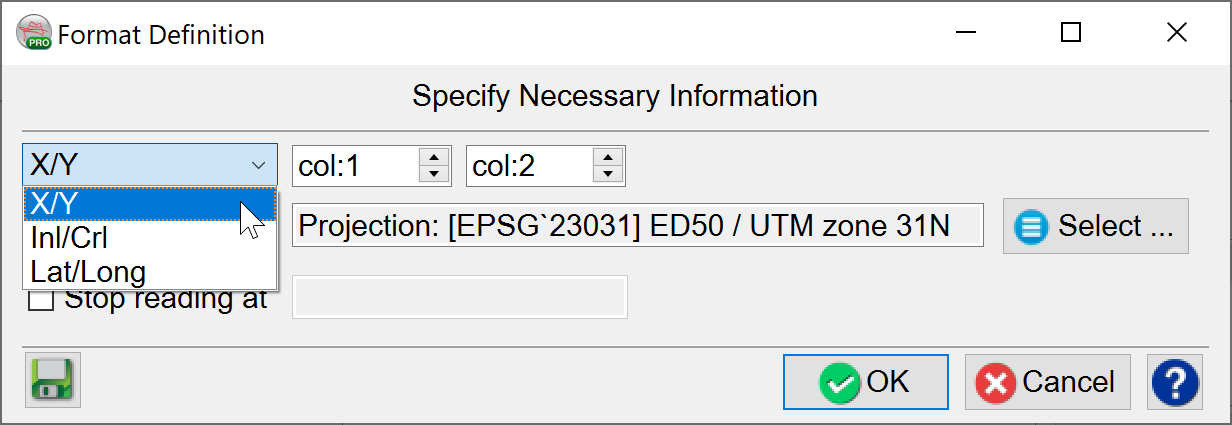
The Format Definition can specify which row holds values for conversion. The rest of the values in the file will be kept the same in the output file.