Licensing and Host IDs
OpendTect uses FlexNet to manage its licensing. There are two main types of license:
- Node-locked: The license file is tied directly to a specific client machine (or selection of machines) through its ‘HostID’. This option is popular for laptops and for single-user desktop setups. Installation is very simple.
- Floating License: The license file is generated for, and tied to a dedicated server via its ‘HostID’. The license manager on the server then issues licenses to client machines. This option is more suited for multiple users. Installation can be more involved.
In order to generate a license, we need the HostID (commonly known as MAC address) of the machine or server, depending on license type:
- If server-based (floating) license
- Server (Host) Name
- Server (Host) ID
- If node-locked license
- Host ID
To discover the HostID(s), use the System Information option:
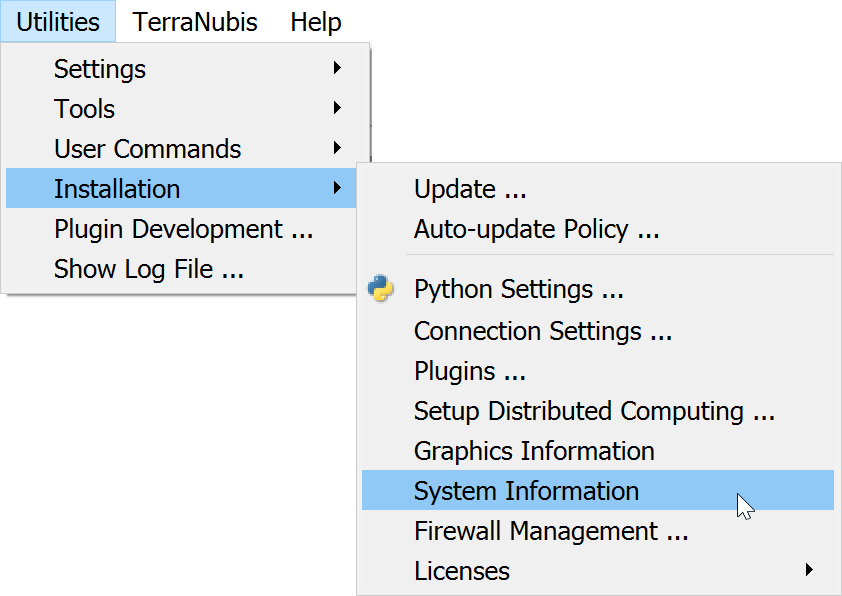
This will give a result similar to the following window:
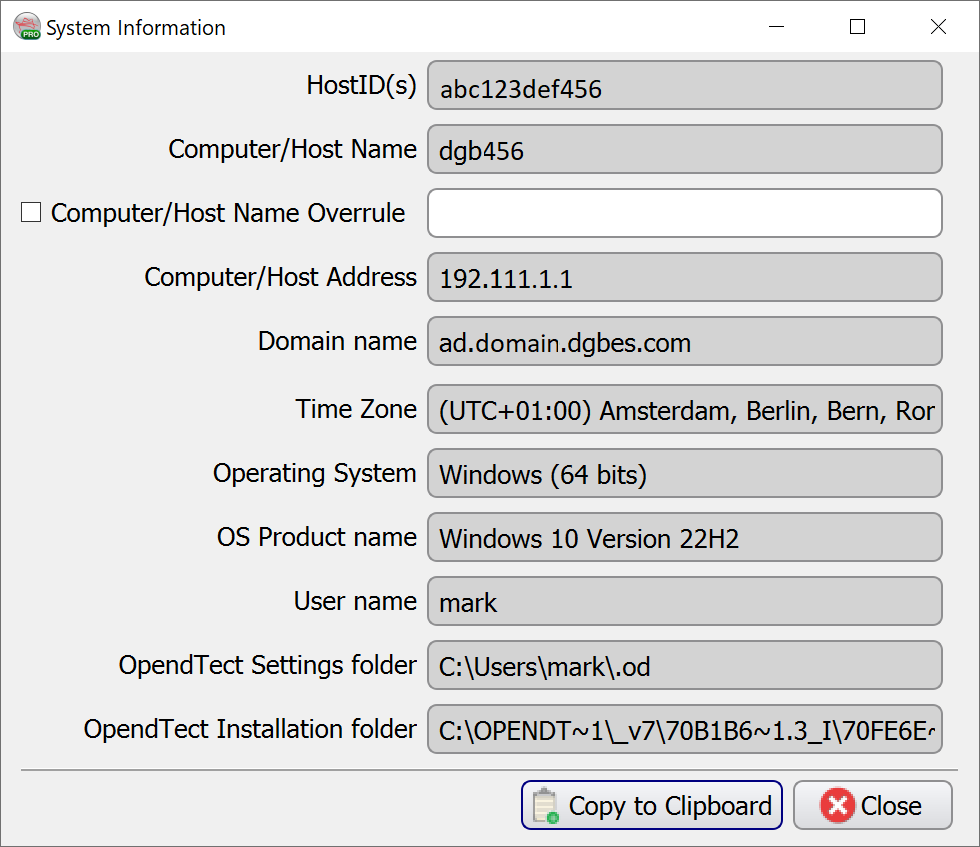
Use the Copy to Clipboard option to copy the information displayed in the window into text format for pasting into an email or document.
Note: On some Windows 10 and 11 systems there is an option Random hardware addresses in Windows Settings > Network & Internet > WiFi . Please make sure that the Use random hardware addresses option is toggled off when using the Show HostID utility and supplying us with the information needed for generating the license. Also this option should be toggled off when using the OpendTect license that you received back. When a random HostID is supplied to us we can not guarantee that the generated OpendTect license will keep working. Therefore we ask you to supply us with a HostID that will not change.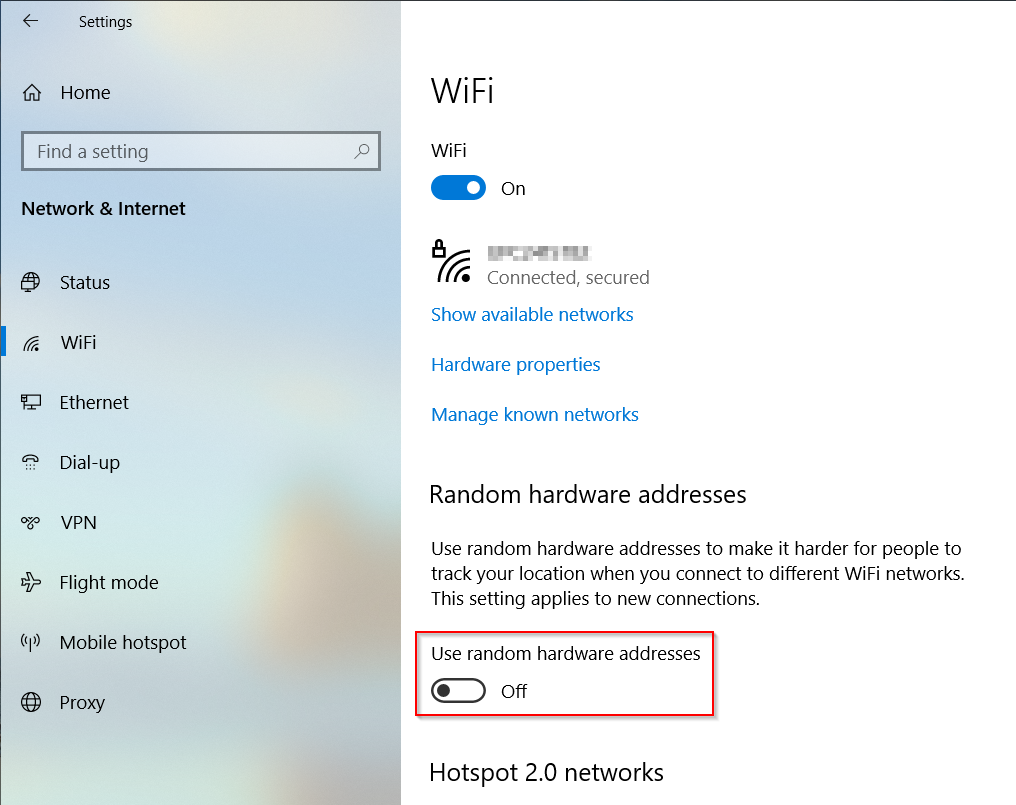
Figure: Random hardware addresses option in Windows Settings > Network & Internet > WiFi
For additional information (including alternate methods of accessing the HostID), please refer to the