12.9 Ridge-enhancement Filter
This filter sharpen ridges in a similarity cube.
The filter compares, in the time-slice domain, neighboring similarity values in four different directions,(inline direction, crossline, 45 degrees and 135 degrees), then outputs the largest ridge value. The ridge in each direction is the: sum (values on either side) / 2 - center value. In most evaluation points, there are no ridges and the values, thus, tend to be small; but when you cross a fault, there will be a large ridge perpendicular to the fault direction. The filter outputs the largest value, i.e. the ridge corresponding to the perpendicular direction.
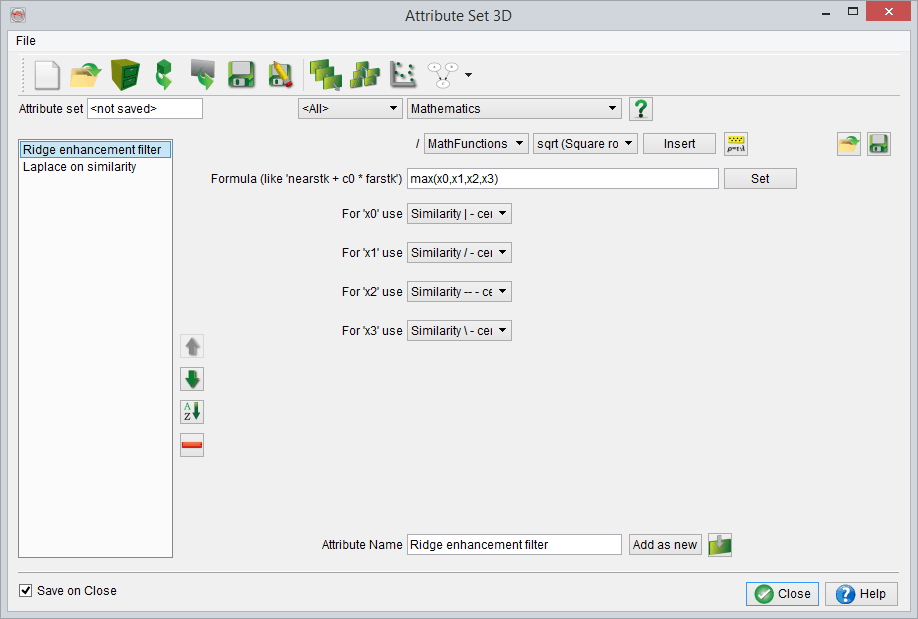
"Ridge Enhancement Filter" Attribute-set
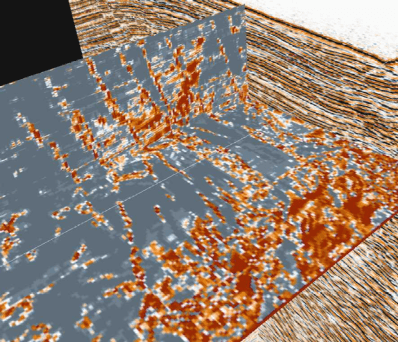
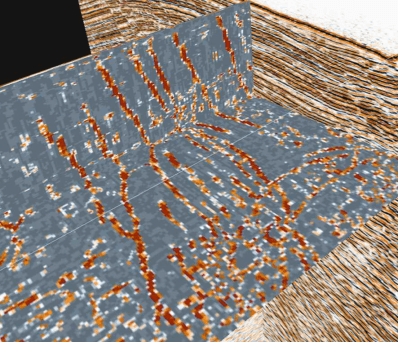
The output of this attribute set is the meta attribute Ridge-enhancement attribute at the bottom of the attribute set. All other attributes are intermediate attributes, used in the calculation of the final attribute. The construction of the attribute detects lateral lineaments in time slices of steered similarity, yet ignores bodies of low similarity. The idea behind the ridge-enhancement attribute is explained in figure below.
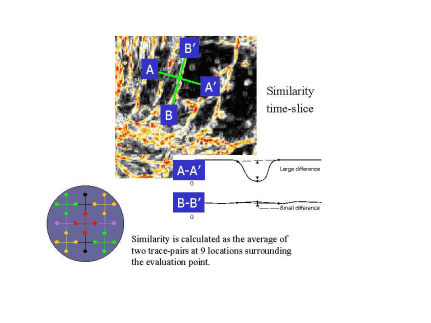
When we slice through a similarity cube and we cross a fault we observe a large difference in attribute response between the value at the fault position and the values on either side. In the ridge enhancement set we calculate 9 similarity attributes surrounding the evaluation point. We then scan in different directions to find the largest difference, which is the desired output. In following figures the output of the similarity attribute is compared with the output of the ridge-enhancement cube. The bodies of high similarity have disappeared and the faults are also sharper. The users can optimize this attribute by fine tuning the parameters of the similarity attribute such that faults are optimally detected. For example parameters can be adjusted to the width and orientation of the faults, according to: wider faults or faulted zones must have longer windows and larger step-outs. More flat lying faults are better detected using smaller (vertical) windows.
You can decrease the processing time by almost a factor 9 if you store a similarity cube first and use this as input. Instead of calculating the similarity attribute 9 times on the fly, you calculate and store the similarity once and retrieve it. After you have stored your similarity cube can either trick the system by changing the first attribute (for instance by making it a Mathematics, Formula: x0 and as input your similarirty cube) or by removing the first attribute and changing the attribute input of the following attributes from the removed attribute to your stored similarity cube.