1.9 Horizon Mathematics (2D and 3D)
The horizon math (both 2D and 3D) tool allows for utilization of the following statements and statistics:
-
Basic math (+,-,*,/,^)
-
Functions (exp, ln, sin,…)
-
Logical (<,==, &&, …)
-
Statistical (rand, min, avg, …)
-
Constants (pi, e, undef)
-
Other (inl, crl, X, Y)
You can type in any formula and apply any values and mathematical operators and formulas, e.g.: for converting grids from time to depth.
The tool can be accessed from the Processing menu → Horizon Mathematics. Here, select if you want to apply the horizon math tool on your 2D line data or 3D horizons.
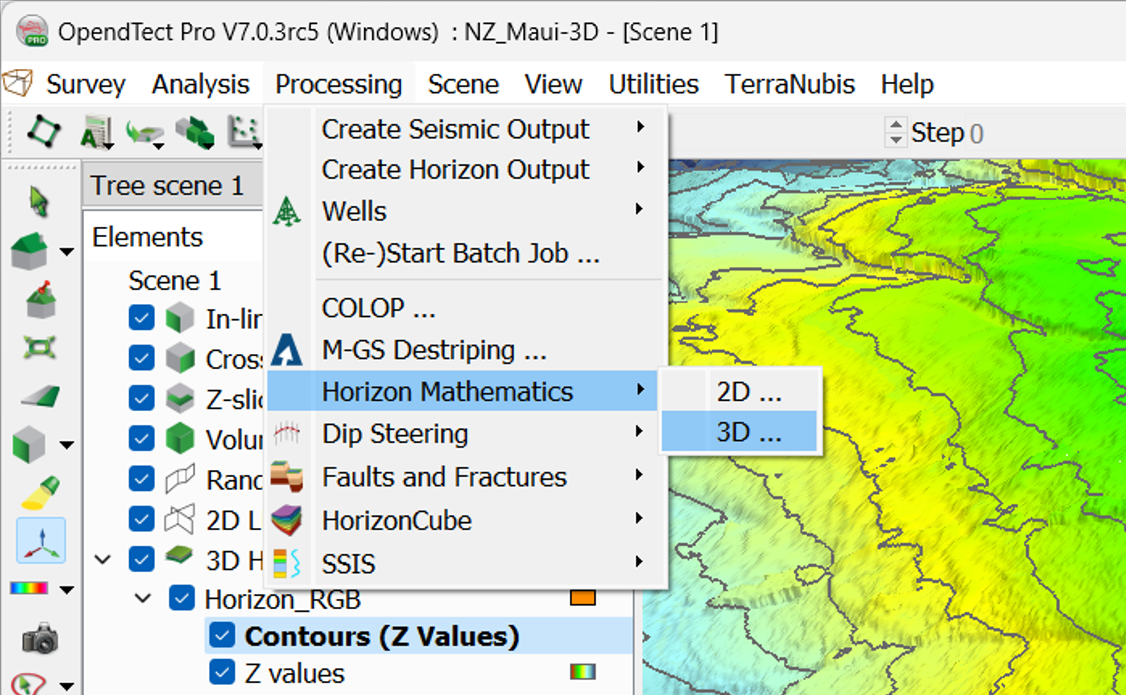
Depending on your selection, the UI for either the 2D or 3D Horizon Maths will appear:
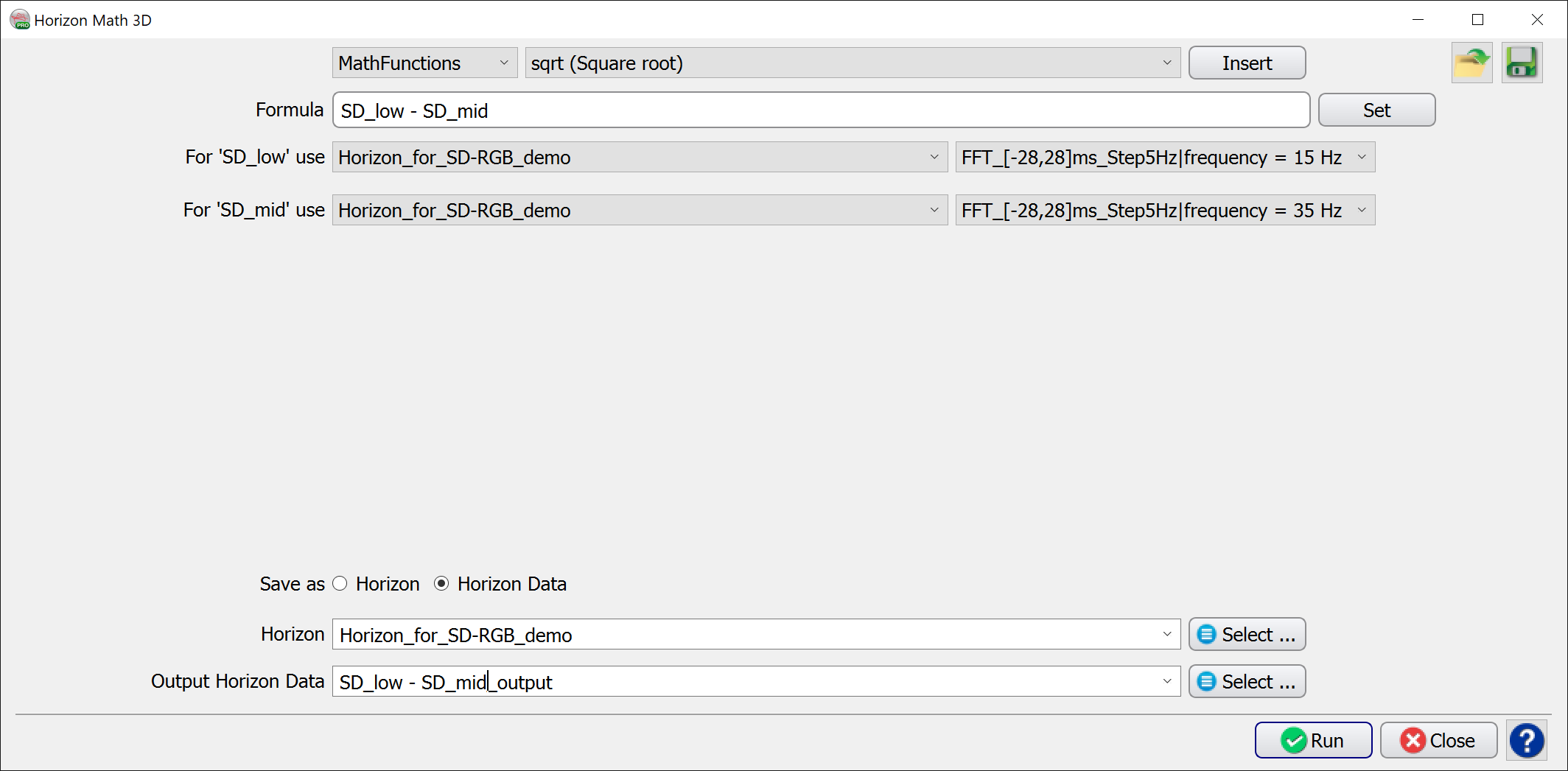
Above is an example formula. On clicking Set, you can then select which element to use for names typed in the formula bar. Constants can be designated the letter ‘c’ with an optional number as the suffix, e.g. c1, c2 etc.
For more detailed information on the Input Parameters, operators, other options and expressions of examples, please take a look at the OpendTect User Documentation entry for the Mathematics Attribute.