1.1.2.4.1 Import 2D Seismic From Petrel*
Petrel* 2D seismic can be accessed in OpendTect by clicking on PetrelDirect insert icon  in the following places:
- Manage 2D Seismics window (Survey > Manage > Seismics > 2D... or click on
 icon in the Manage Data toolbar)
 - Select 2D Line(s) window when adding 2D Line(s) to the 3D scene by right click on 2D Linein the tree > Add)
- other workflows, including attribute definition and processing, etc.
Select 2D Line Collection(s) window allows to select 2D seismic data from Petrel* project, provide a dataset name in the Attribute field and create either Link to Petrel* or OpendTect Copy.
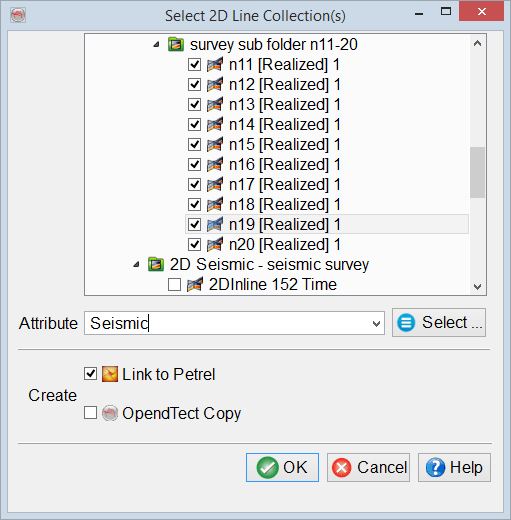
2D seismic data in OpendTect is organized in datasets and 2D line geometries. A dataset contains unique data for each 2D line, i.e. seismic data characterized by common processing history or a specific seismic attribute.
*is a mark of Schlumberger.