 icon, the Neural Network management window appears. This window allows to work with neural networks in the current session: Train a new network, save the current network, load a stored network before applying it to a tree item.
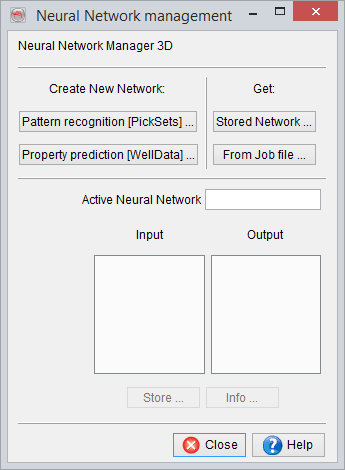
When clicking the icon, the Neural Network management window appears. This window allows to work with neural networks in the current session: Train a new network, save the current network, load a stored network before applying it to a tree item.
To create a new network, one must first choose the appropriate mode:
When a neural network is loaded (clicking Stored Network), the input and output nodes of this network are shown in the lists.
When the training of a neural network is finished, the user can store the trained neural network or look at the relevant statistics with the Info button.
© dGB Beheer B.V. 2002 - 2019