5.1.3 Auto-Load Attribute Set
By default, no attribute set is loaded at startup. These settings can be over-ruled by selecting a specific attribute set to be auto-loaded in the list each time the OpendTect window is started. This can be set from the attribute set window under File > Auto Load Attribute Set sub-menu. If selected, it will launch the auto-load attribute set window. Selecting Yes will show the list of attribute set that can be be auto-loaded. Select one attribute set and press Ok button. This will save the settings and next time, whenever the OpendTect is started, the selected attribute set will be auto loaded. Such practice becomes useful when working with attributes evaluation at different stages of a project and that the same attribute set need to be updated.
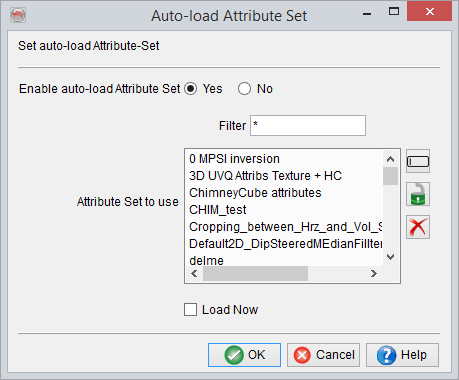
Load Now will directly load the selected attribute set. If not selected, the attribute set will be loaded the next time the survey is opened.
Please note that a similar function exists for sessions.