4.2 Session
The OpendTect session is generally used to save and to retrieve the specific settings of a scene. This helps to resume work from previous settings. The session will save all settings of the displayed elements, and can be restored at any later time. When clicking the Survey option in the tool bar and then click Session, three options appear. It is possible to save the session or restore a previously saved session. When clicking Auto, the session will restore itself automatically the next time you start OpendTect.
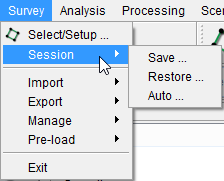
When a session is saved, the system stores all element positions and relevant information to recreate the images. The content of the elements is not saved but is re-created when the session is restored.

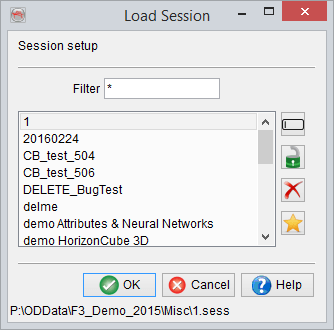
The auto-load window (left) and the 'Select' option (right)
The user can enable or disable the auto-load session option. It is also possible to choose if one of the save sessions will be used in this session. Finally the user has the choice on whether or not to load the selected session now.
A similar function exists to auto-load one of the
As mentioned earlier that the contents of the elements are not saved but are recreated. It is a common practice of the OpendTect user(s) to save and restore a session. The mistake a user(s) can normally make is to save a session with the contents of an element(s) (e.g. attributes) that takes a long time to compute. In this way, when such session is restored, it will take a way too long time to restore, because the session can only store the settings (or relevant information) but not the on-the-fly attributes. Thus, it re-calculates the contents. This can be avoided by creating the