3.7.7.1 Auto and Manual Horizon Tracking
3D horizon interpretation in OpendTect can be conveniently started from the right-click menu of 3D Horizon > New > Auto and Manual Tracking in the Tree of either 3D scene or 2D viewer.
Basemap (requires OpendTect Pro license) significantly enhances any interpretation workflow. For example, it allows to conveniently operate random lines when QCing results of 3D auto-tracking.
3D Auto-tracking
3D Auto-tracking is the primary, highly interactive workflow for horizon interpretation in OpendTect. The user starts with a few picked seeds, auto-tracks in volume, interactively QCs, as needed re-tracks with updated parameters and/or edits, and locks QC-ed interpretation. Then interpretation continues by iteratively repeating the steps. The advantage of this workflow is that the horizon is QC-ed while interpreting and, therefore, saves time on editing. Any remaining holes can be filled at a later stage using one of the gridding algorithms.
The workflow operates in the 3D scene via Horizon Tracking Settings window, Ctrl + right-click menu, and/or keyboard short keys (Shift + ? to see all).
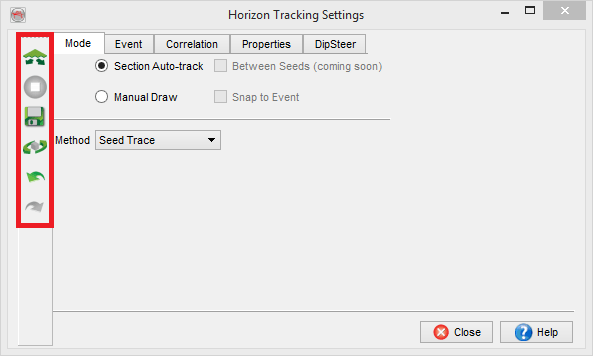 ,
, 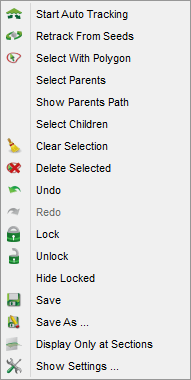 and/or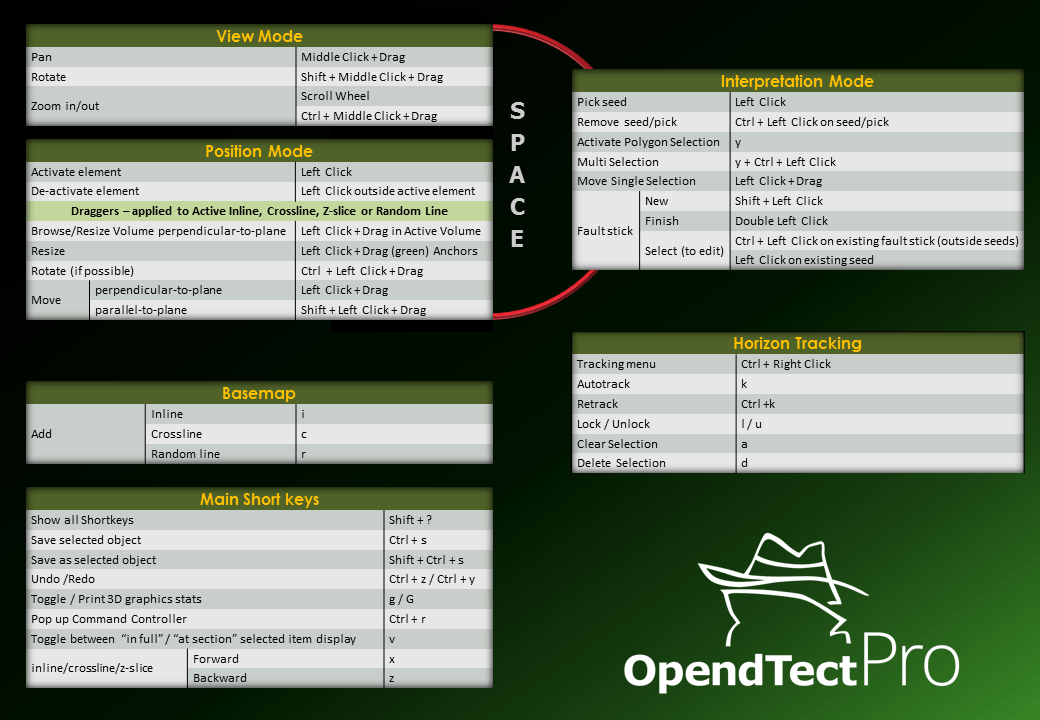
A seismic event in 3D volume is tracked starting from user-picked seed locations following user-set rules (Horizon Tracking Settings window) on:
- which seismic event (min/max/zero-crossing) to follow within a search window;
- and when to stop auto-tracking by comparison of the current tracking position with either a user-picked seed location (Seed Trace method) or a preceding auto-tracked position (Adjacent Parent method) based on event amplitude (either relative difference threshold or absolute amplitude cut-off) and (optionally, but recommended) trace cross-correlation within comparison window.
Optionally, seismic dips can be used to guide the auto-tracker (a Dip-Steering license is required).
The Seed Trace method is more conservative and is recommended in structurally complex areas. The Adjacent Parent method tracks larger areas with the same set of input seeds and tracking parameters, which makes it faster to produce horizons, but the risk of loop-skipping increases. It is recommended only for continuous horizons.
Section Auto-tracking
Using Section Auto-tracking mode without 3D Auto-tracking functionality is a traditional interpretation workflow, in which the interpreter points a horizon on a certain grid (usually regular: for example, every 10th inline and 10th crossline). It can be done both in 3D scene and in 2D viewer. The interpreted horizon is then interpolated using one of the gridding algorithms.
Manual drawing
This option is used to manually pick horizons in areas where auto-tracking is not feasible.