4.5.12.1.1.2 Volume Sub-Selection
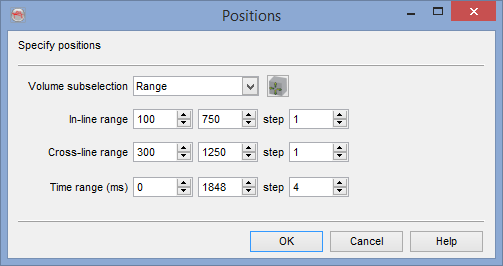
This standard menu is available when importing/exporting a volume, line, or horizon, copying a cube or horizon, or processing an attribute.
In all those processes, the output might be limited with respect to the available input data. The limitation may be:
- A rectangular part of the survey, possibly with a larger horizontal and vertical stepout
- An area limited by an OpendTect polygon. The area within the polygon can be as well by decimated horizontal by using larger stepouts
- A table of positions from an OpendTect pointset or from a text file. The text file should contain inline and crossline values without header
- All: This last option will output the maximum number of trace with respect to the available data and possible stepouts
- The use of larger vertical stepouts will cause the data to be decimated in the given direction. Please note that an anti-alias filter (using the frequency filter attribute) should be applied before decimating data. The copy-cube does not do it.
- The use of smaller vertical stepouts will cause the data to be interpolated with a polynomial interpolation. This is mostly appropriate for seismic data.
- Volumes tagged as Vint, Vrms or Vavg are not using a polynomial interpolation of the input amplitudes, as soon as Z start, Z stop and/or Z step are changed. Instead they are converted to the corresponding time-depth relation that is linearly interpolated (vertically), before back converting the interpolated TD function to the input type.
- The copy-cube option does not do lateral interpolation of the data (but it can decimate). Use the Velocity gridder step of the volume builder to laterally grid a coarse volume.