4.3.7.1 Geometry 3D
Select the input ASCII file. You may display the input file by pressing the Examine button. Available grids (attributes) present in the input file may also be imported
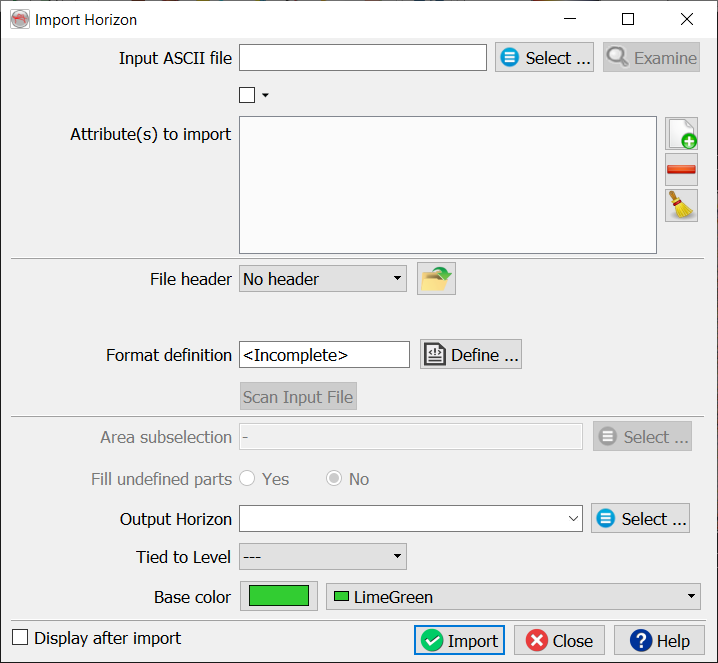
The main work is to specify the presence of a file header and the file format definition. The header, if present, can be of fixed length (number of lines), or delimited on its last line by a keyword.
Predefined and saved file formats are available by pressing the  icon. Otherwise the format must be manually specified. The Define button gives access to the format definition window.
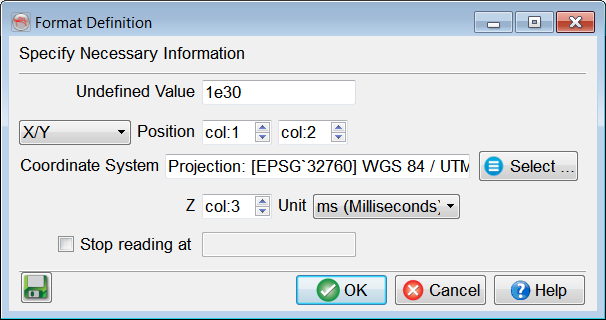
You must specify in the format definition window the column numbers for the position, in terms of an X-Y pair or an inline-crossline pair, and the point column. Points that should not be read must all have the same numerical value, which is to be filled in as the "Undefined value". The Z units can be seconds, milliseconds or microseconds. Optionally, if attributes were added in the Import Horizon window, additional columns with given attribute(s) name(s) will also appear in this format definition window. Reading may be stopped at a specific line by providing the adequate keyword.
If Coordinate Reference System (CRS) is defined for the survey, CRS conversion will be available in the import window.
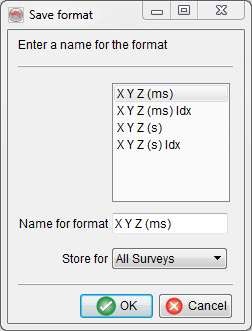
It is recommended to save the format definition for a later use and QC, by clicking on the  icon . In pop-up window, write the name of the format and store it. The format can be stored at different levels (All surveys, Current survey, Current OpendTect user level) depending on the usage. Press Ok when done.
It is highly recommended to scan the input file after providing its format, and prior to the actual import. The scanned information will pop-up and error(s) or warning(s) may suggest a change of the format definition.
The area sub-selection can be used in two ways:
- Reduce the amount of data to be loaded: By reducing the inline/crossline ranges
- Specify a new grid size if a coarse input grid should be gridded during import: By decreasing the inline/crosslines steps to the survey steps (minimum).
The option Fill undefined parts will be toggle on if gaps were found during scan. A triangulation to the convex hull with an interpolation where the maximum size is the input grid step (in XY units, thus meters or feet), and Keep holes larger than toggled off, should be the optimal settings in most cases.
Tied to level is additional option specifically designed to tie horizons to well markers, for correlation purposes. In order to define the stratigraphic information of the survey, please read about