4.3.11.1.1.1 Import Window
Import 3D Volume / Import Pre-Stack Volume

Import as:
-
OpendTect CBVS (copy&import): data is imported to CBVS format (internal OpendTect format for seismic data)
- SEGYDirect (scan&link):
- link to a SEG-Y file, i.e. no data duplication;
- if a SEG-Y file is moved or renamed outside OpendTect, the link can be restored via
 icon in Manage 3D Seismics window;
 - performance for prestack data may be lower than with OpendTect CBVS prestack datastore.
Volume Subselection (default= '-', i.e. All): (optionally) a sub-set or a decimated volume can be imported.
Null traces:
- Discard (default): null traces are discarded, i.e. shown as undefined.
- Pass: null traces are imported with amplitude values of 0.
Scale values (default=off): (optionally) shift and scale amplitude values:
- Shift: add this shift to sample amplitudes.
- Factor: multiply sample amplitudes by this factor.
Output Cube: type in a cube name to be used in the OpendTect project and choose its format:
- CBVS: internal OpendTect format for seismic data.
- SEG-YDirect: link to a SEG-Y file.
- PetrelDirect: write directly to Petrel datastore with a PetrelDirect link to it in OpendTect.
Depth/Time: (optionally) depth volumes can be imported to time surveys by checking this box and vice versa.
They can be visualized using
Execute in Batch: (optionally) import can be done in a single-machine batch mode.
It is a good practice to display 3D seismic data on a z-slice after import to check for any gaps or null traces.
Import 2D Line(s) / Import Line 2D Pre-Stack(s)

Line name:
- Single 2D line: either type in a new line name or select one of the existing ones.
- Multiple 2D lines: the field is greyed out, and line names come from parts of file names replaced by a wildcard *.
Trace Subselection (default= '-', i.e. All): (optionally) a sub-set or a decimated volume can be imported.
Null traces:
- Discard (default): null traces are discarded, i.e. shown as undefined.
- Pass: null traces are imported with amplitude values of 0.
Scale values (default=off): (optionally) shift and scale amplitude values
- Shift: add this shift to sample amplitudes.
- Factor: multiply sample amplitudes by this factor.
Coordinate source (default=The trace headers):
- The trace headers: use trace headers as specified in Import SEG-Y Data wizard.
- A 'Nr X Y' file (bend=points needed): (optionally) the coordinates can be specified using an auxiliary navigation file. The format should be an ascii file with one position per line in a fixed column format without header: trace number, X and Y coordinates. Units to be used are the same as specified in the
- Single 2D line: select a file containing a navigation survey.
- Multiple 2D lines: navigation files must have same names as corresponding SEG-Y files and different extension (such as .crd).
- Generate straight line: manually enter X/Y coordinates of the first trace and regular steps in X/Y directions. Units to be used are the same as specified in the
Output 2D Data (attribute): type in a 2D dataset name to be used in an OpendTect project and choose its format:
- CBVS: internal OpendTect format for seismic data.
- PetrelDirect: write directly to Petrel datastore with a PetrelDirect link to it in OpendTect.
Optionally press Select to see the list of existing 2D data in a project:
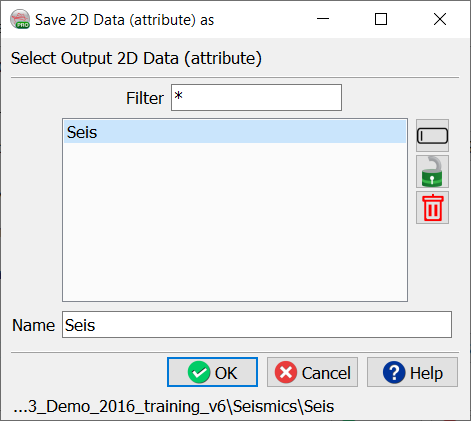
2D datasets are used in OpendTect to group data of the same kind which can be processed and interpreted together (i.e. a particular 2D vintage or type of data). An OpendTect survey can have many 2D datasets, which can share common 2D geometries.