8.1 Introduction
The SynthRock plugin is a forward pseudo-well modeling and probabilistic inversion package to achieve qualitative and quantitative seismic interpretation. It supports wedge models, stochastic models, pre- and poststack synthetic seismograms generation and cross-matching (HitCube) inversion. This commercial plugin extends the capabilities of the Basic Layer Modeling module of OpendTect.
Forward modeling of synthetic seismic data plays a key role in understanding the seismic response of a target interval. A thorough understanding of the response enables interpreters to separate true hydrocarbon anomalies from false positives and to make more accurate reservoir predictions. In a forward model, geologic information and synthetic seismic data is integrated through a rock physics model.
Sophisticated workflows in which model parameters are varied stochastically can be run to create a data base of pseudo-wells, representative of the expected geologic and seismic variations at target level. Such models are then used to predict rock properties with uncertainties from pre- and poststack seismic volumes.
The new “Volume” module of SynthRock allows the generation of poststack and prestack synthetic seismic data from 3D rock property volumes (AI-SI, Vp-Vs-Rho), for comparing the synthetic seismic data with the recorded seismic data.
SynthRock can either be started in two ways:
- From the corresponding icon in the main OpendTect toolbar
 .
. - From within the stratigraphy manager with the icon
 .
.
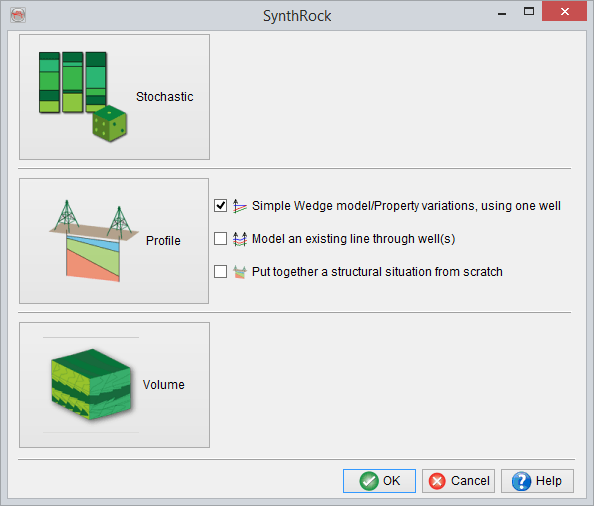
SynthRock can be used to do the following tasks:
- Perform a stochastic pseudowell modeling.
- Create pseudowells profiles by interpolating between/from existing wells.
- Applying Gassmann fluid substitution on the modeled pseudowells.
- Generate synthetic prestack seismic using full zoeppritz from either the pseudowells or 3D rock property volumes.
- Extract synthetic seismic attributes and/or well layer attributes from the modeled pseudowells and optionally export them along a 2D line.
- Run the HitCube stochastic inversion from the modeled wells.
Once a layer modeling window is started, you cannot change its type between basic, stochastic and profile. To use another model type you need another window, to be launched similarly from either the analysis menu or from the main toolbar icon. Only one layer modeling window (thus SynthRock window) can be used at the time. That is because the stratigraphy object needs to be locked during the modeling. A full uncoupling will be implemented in later releases. For the time being you will need to launch additional OpendTect main windows if you want to work with several models simultaneously (at your own risk).
A stand-alone SynthRock application will be made available post 5.0.